

↑ 204%
Increase in session time vs. e-commerce
↑ 182%
Higher conversion vs. e-commerce
↑ 90%
Completion of flow click-through rate
Viewer: A Portal of Polished Presence
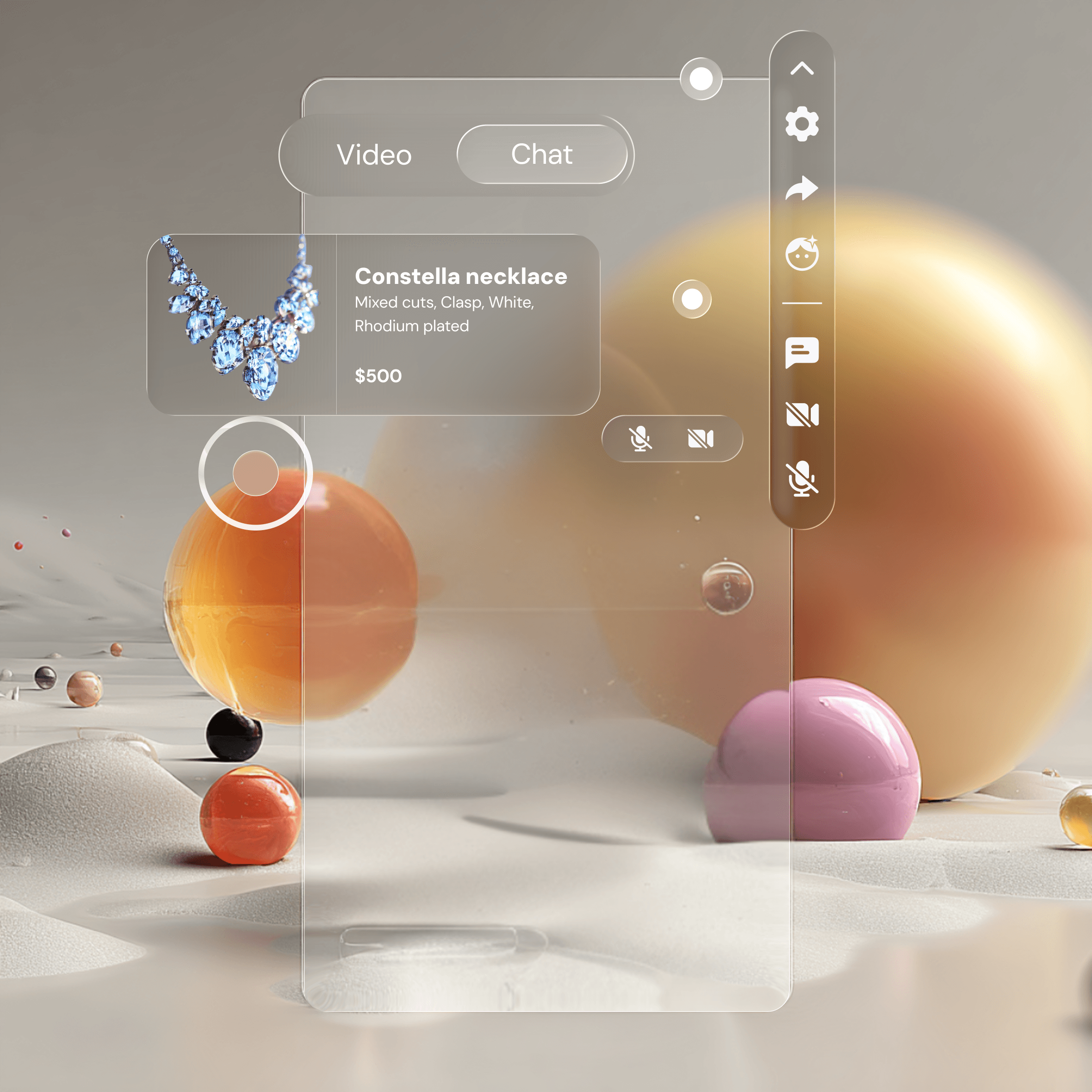
Viewer began as a static, product-focused platform—but through a full visual and functional redesign, it evolved into an immersive 3D social experience. Outdated flat gray UI elements were reimagined with sleek glassmorphism, allowing interface components to feel light, modern, and deeply integrated into the 3D environment.
And the UI is adaptable, so we decided to add in liquid glass to our next set of UI.
Background
Napster is an innovative technology and entertainment company focused on developing AI-powered, 3D immersive experiences. In March 2025, Napster was acquired by Infinite Reality for $207 million, marking a major strategic shift from its legacy music-streaming platform to an AI-driven immersive technology company. Today, Napster is focused on building agentic AI systems, virtual experiences, and interactive 3D digital environments.

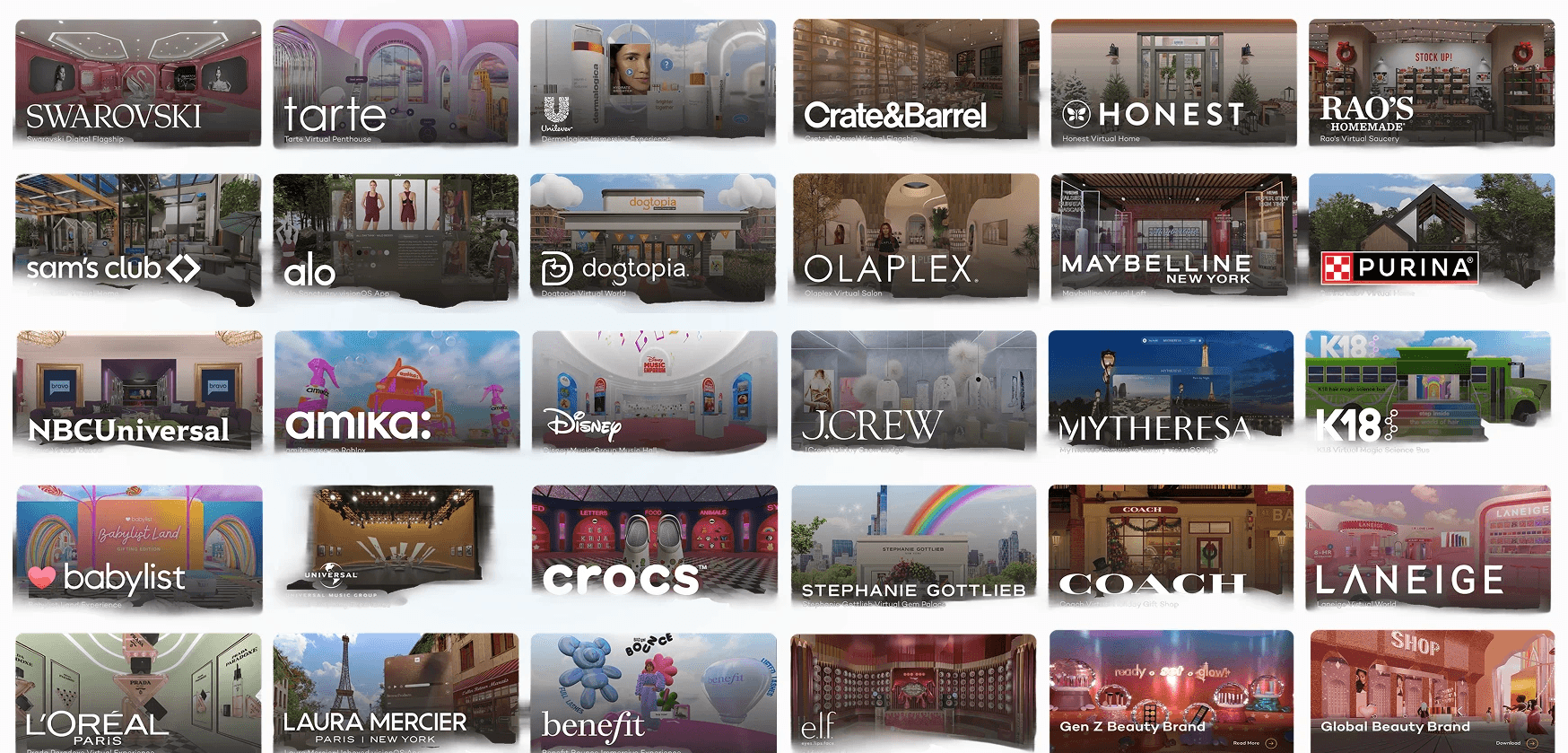
Some our Global partnerships or clients
Platform Context
Viewer exists within a broader ecosystem designed to help brands create immersive digital experiences.
The platform includes three key components:

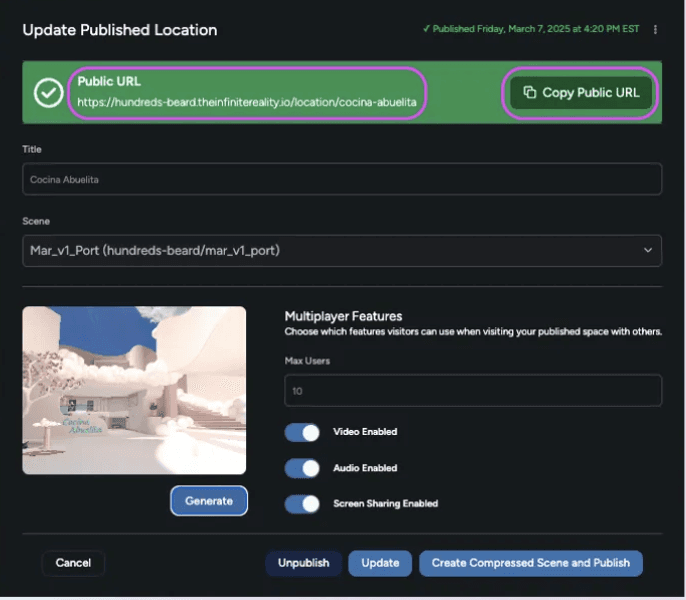

Editor
A web-based 3D creation tool allowing brands to design immersive virtual environments without needing to code.
Dashboard
A management interface where creators and brands can control analytics, content, and revenue.
Viewer
The immersive player where users explore, interact, socialize, and shop inside the virtual world.
This ecosystem allowed brands to create virtual storefronts and interactive experiences accessible directly through a browser.
The Ask
When I joined the project, the directive was simple:
“Make the Viewer look better. We’re rebranding to glassmorphism.”
However, early research quickly revealed that the problem extended beyond visual design.
The experience itself was creating confusion for users.
Instead of simply refreshing the UI, the project became a broader redesign focused on aligning user needs, platform goals, and brand storytelling.
Problem Space
Viewer 1.0 created confusion and lacked strong social foundations.
This resulted in:
• low trust during the first session
• high user drop-off
• unclear functionality for key features
The challenge was to define a direction that would:
• unify Viewer with the broader platform
• improve usability
• strengthen the social layer of the experience
The goal was to transform Viewer from a visually impressive demo into a coherent product experience.
My Role
Team
PM, Designer (me), Tech Lead, Dev, CTO
Timeline
2 months
• 2 design sprints
• 3 development sprints (+ QA)
Tools
Figma, Midjourney, ChatGPT, Canva and Claude
Process

This allowed the team to test early assumptions and refine the experience based on real user behavior.
The approach focused on building a Minimum Lovable Product (MLP) rather than shipping a large feature set without validation.
Research
To understand where users were struggling, I conducted research across multiple groups:
User Groups
• Consumers
• Enterprise brands
• Small Business Owners / independent creators
Research Methods
• Observational usability testing with consumers
• Zoom and Discord interviews with brands
• Survey responses from early users
This mixed-method approach helped us evaluate both consumer experience and brand expectations.
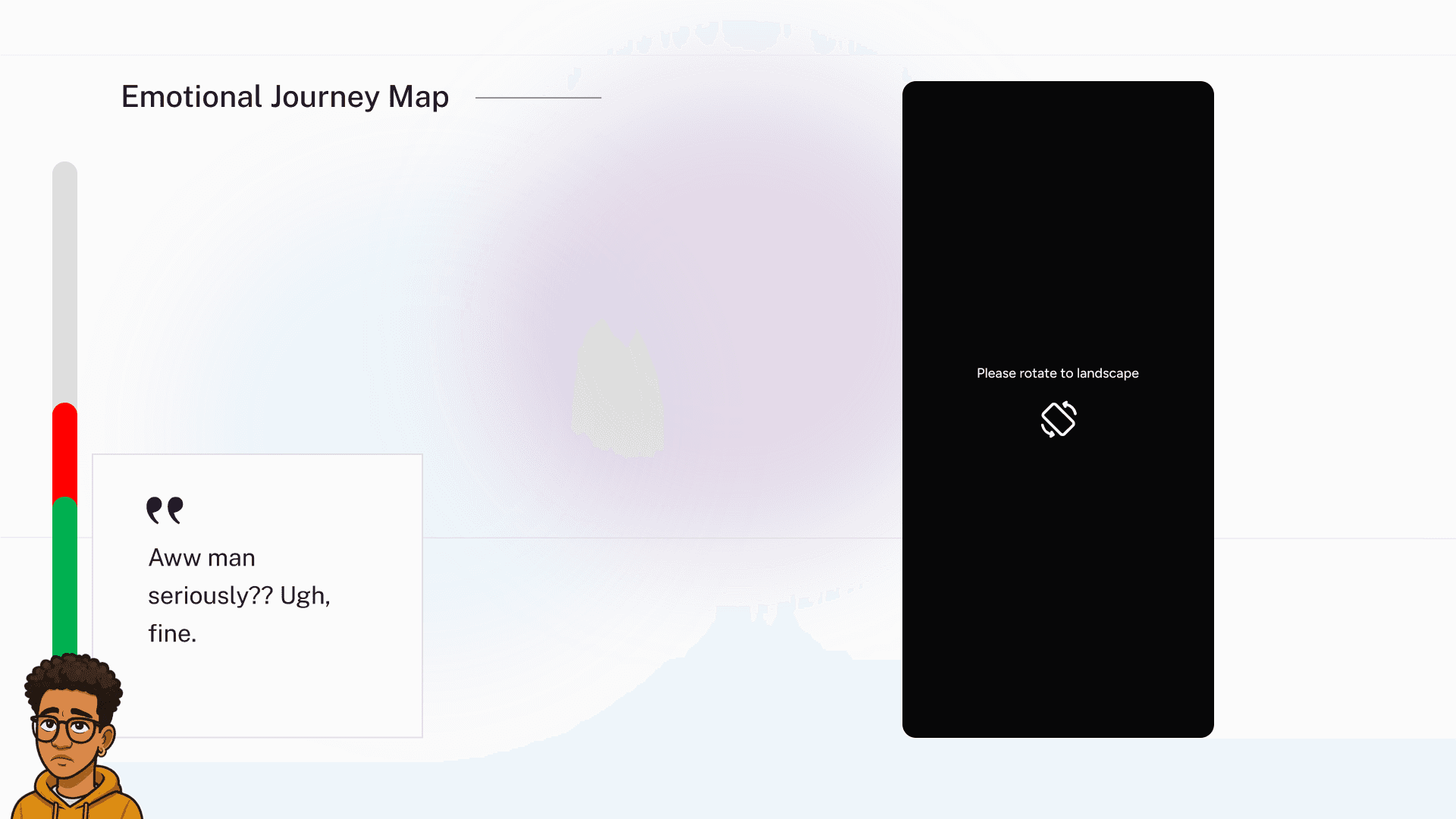
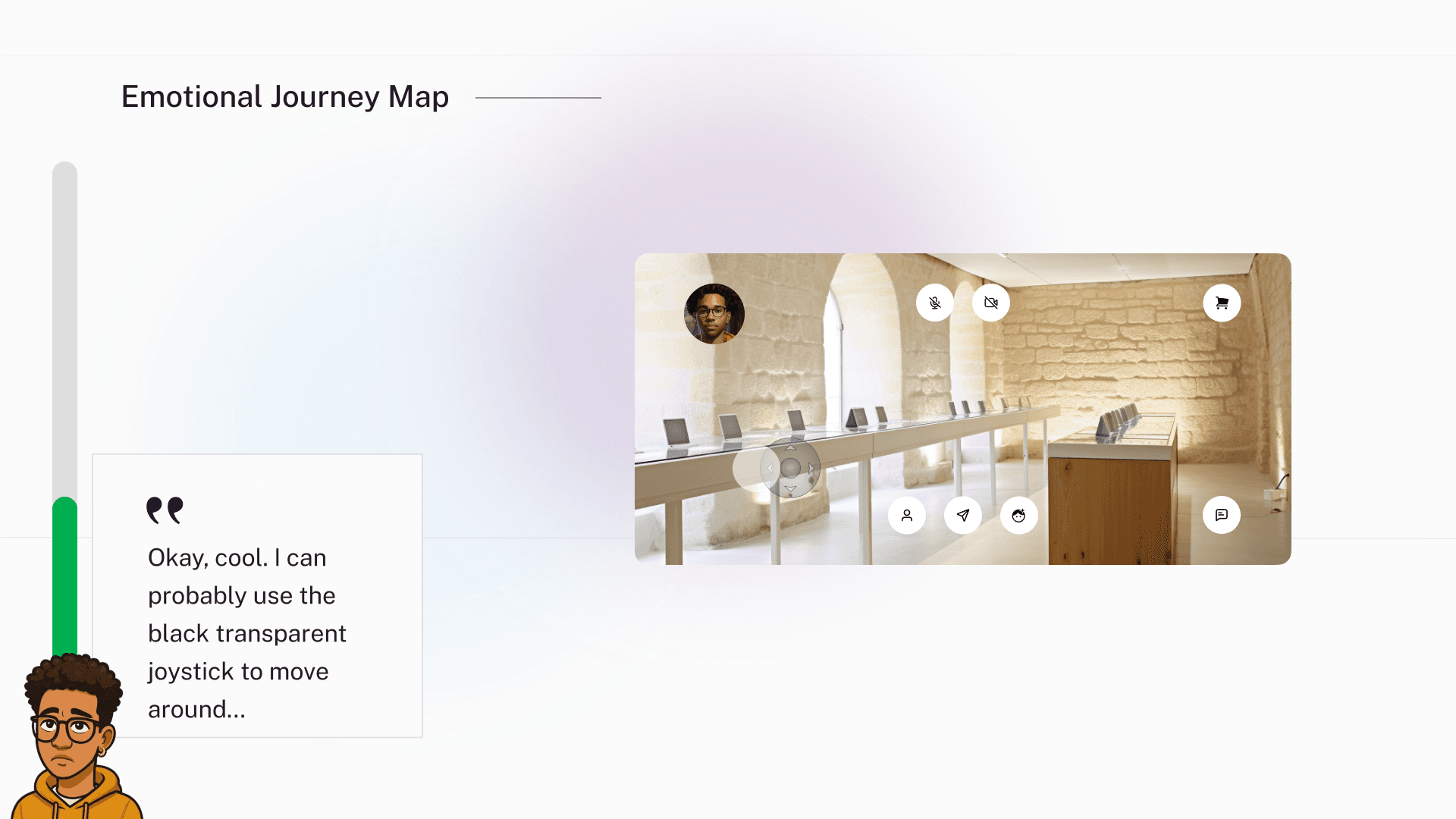
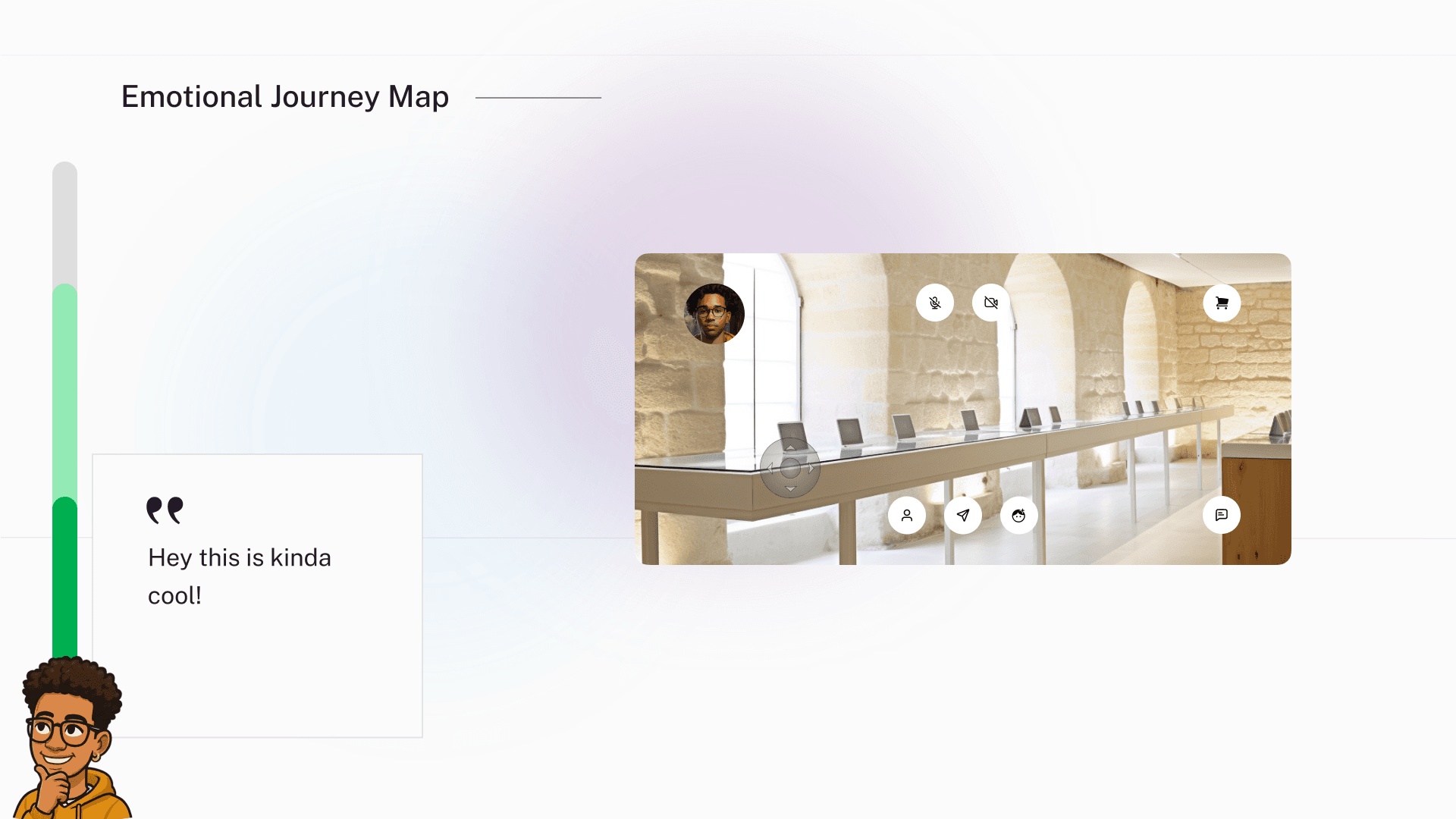
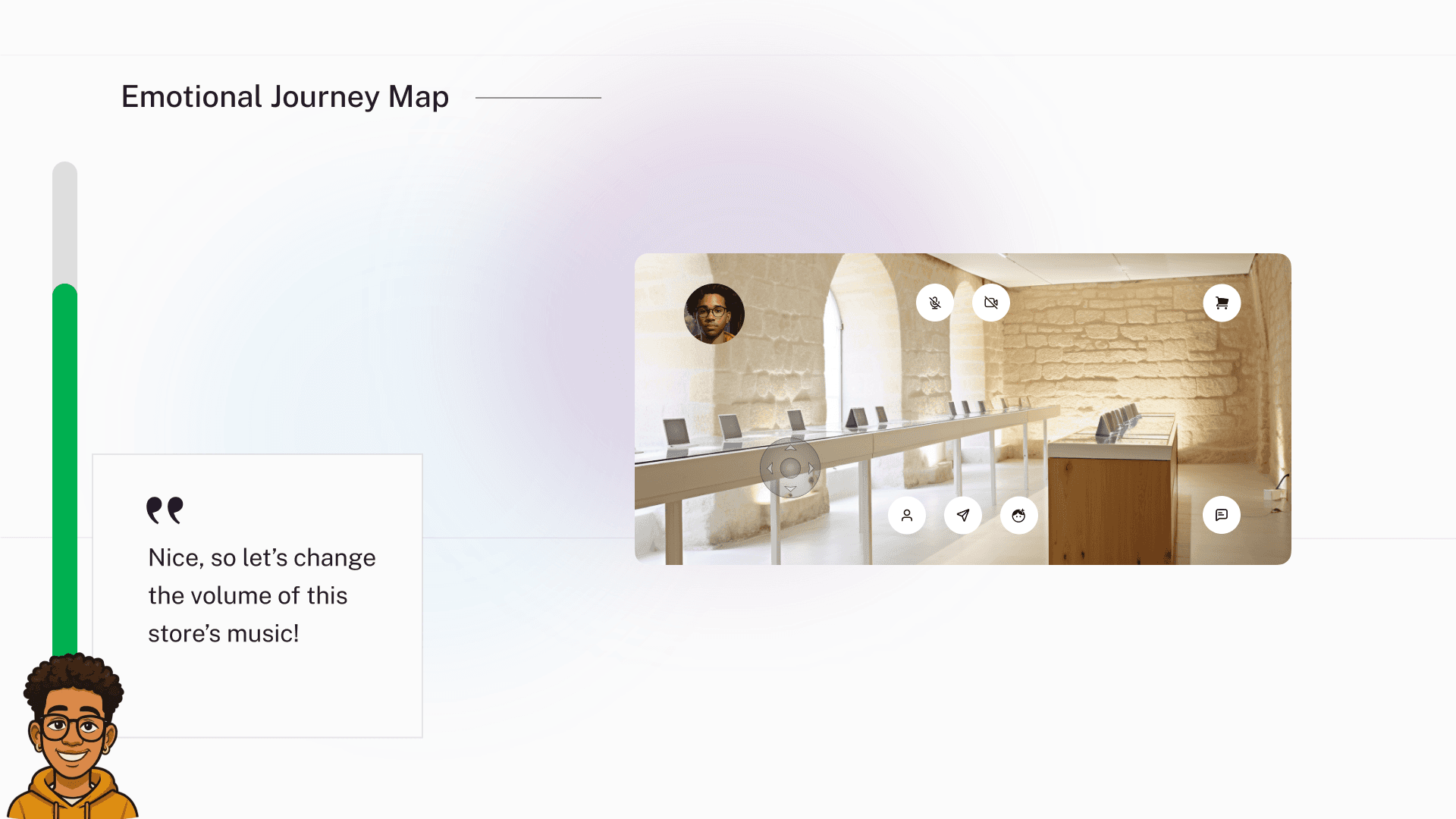
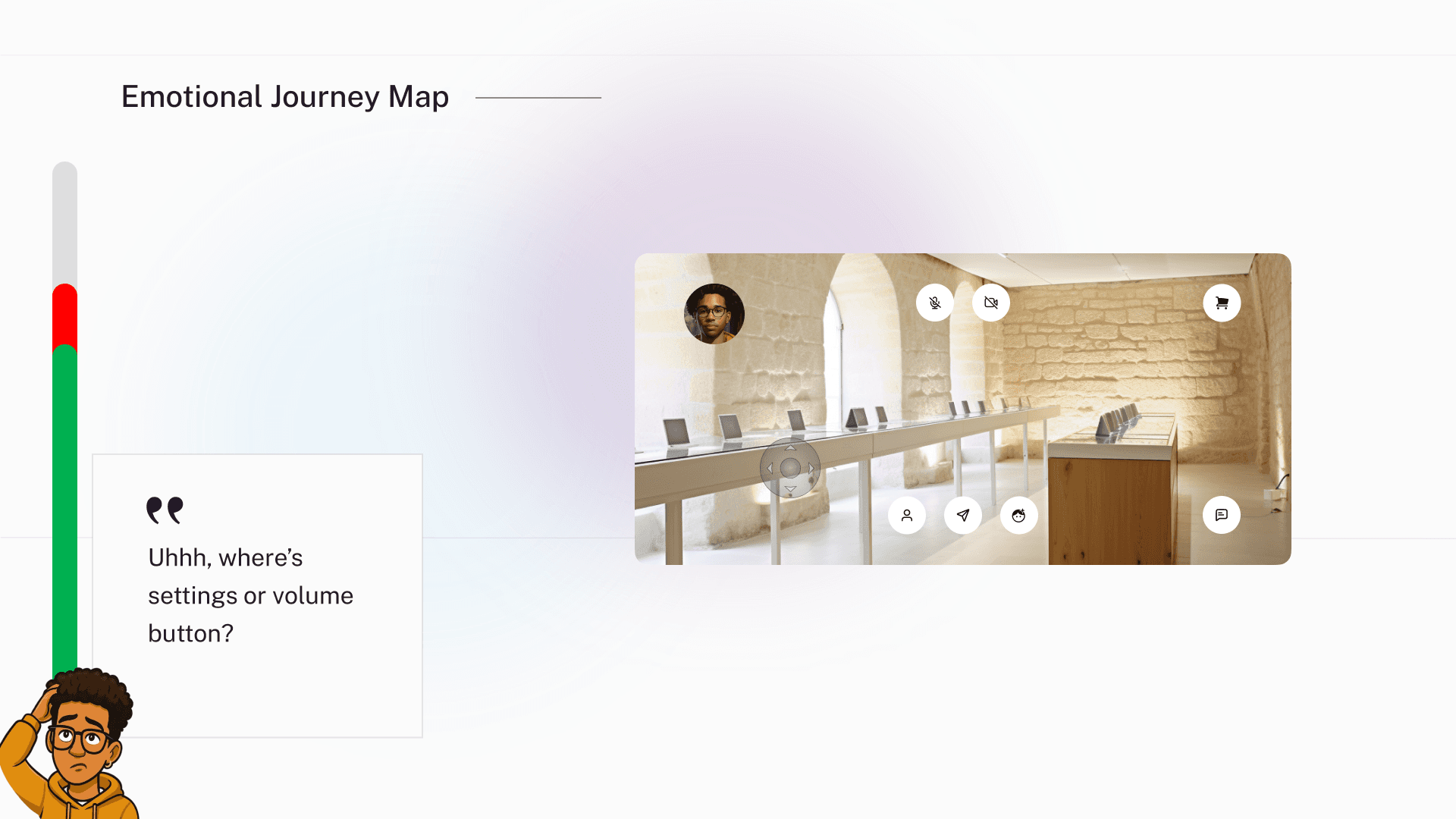
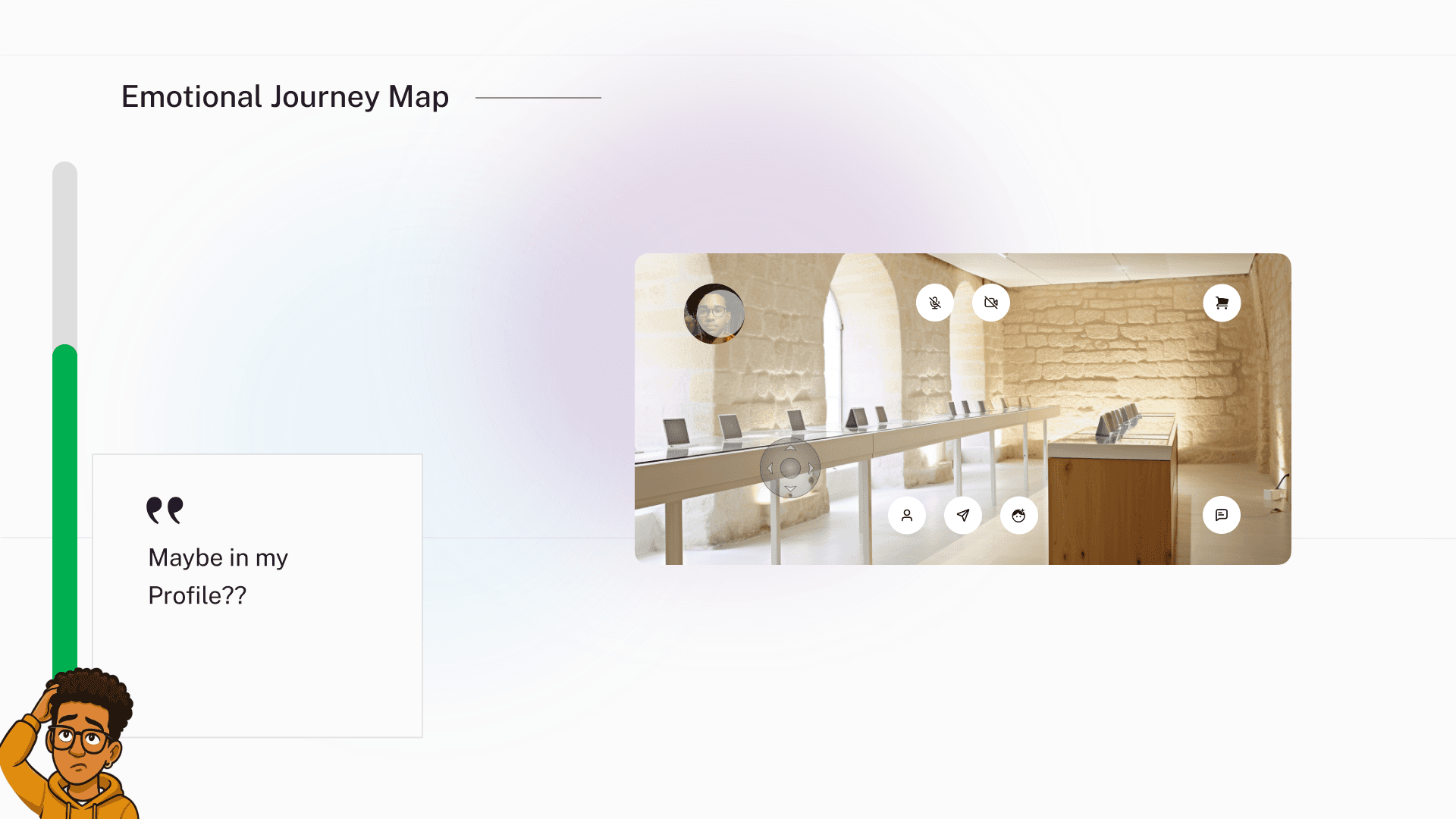
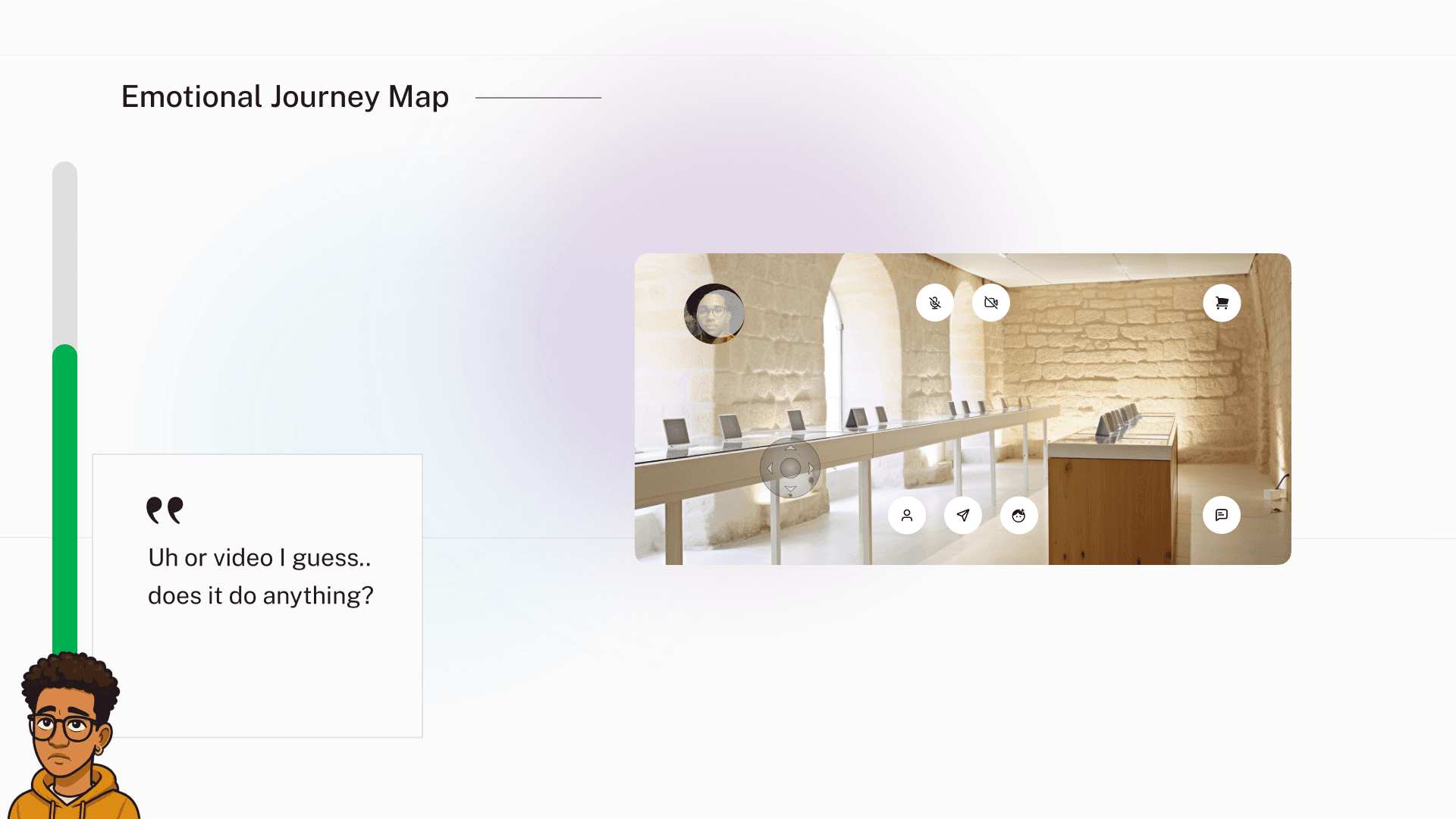
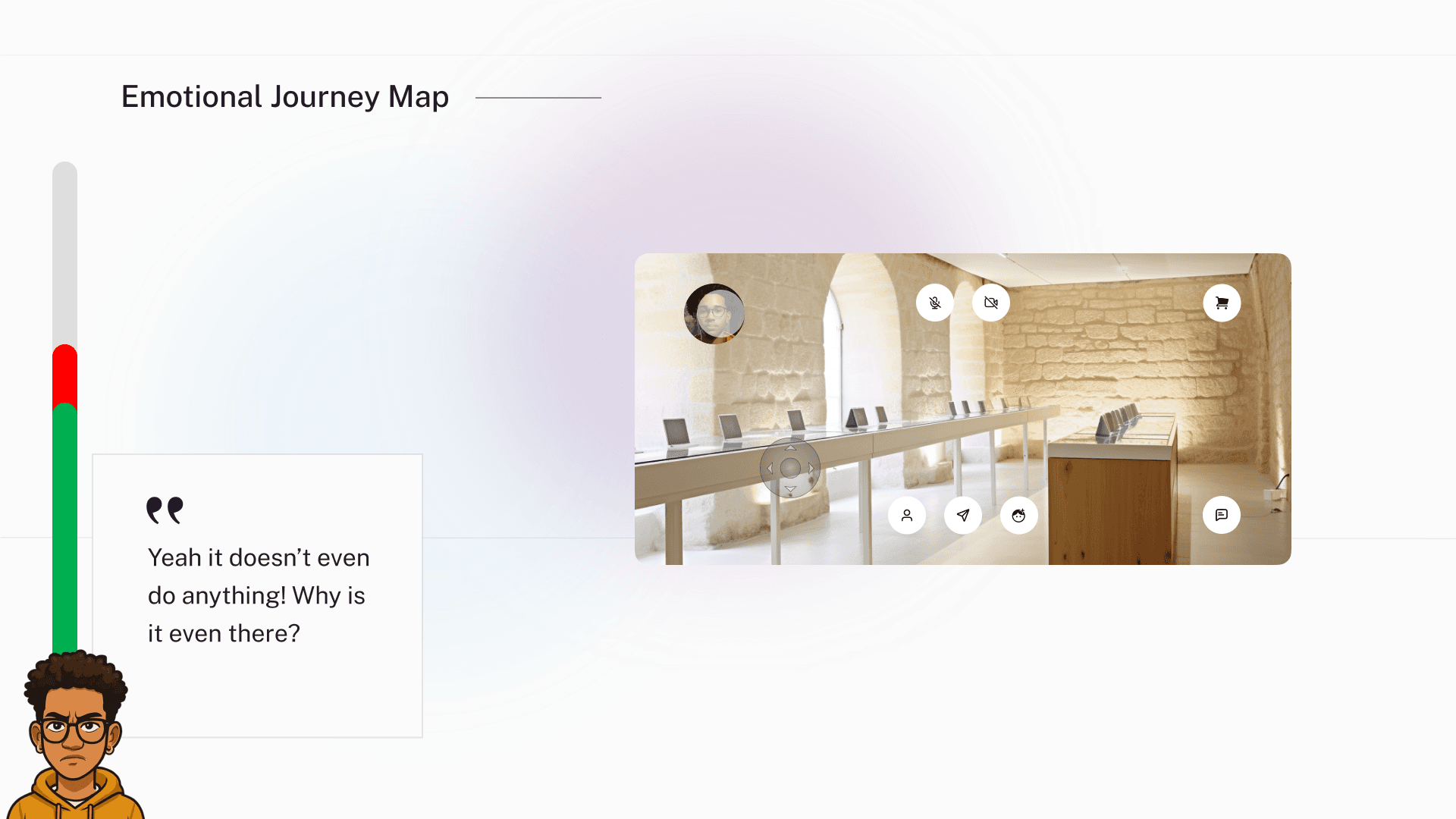
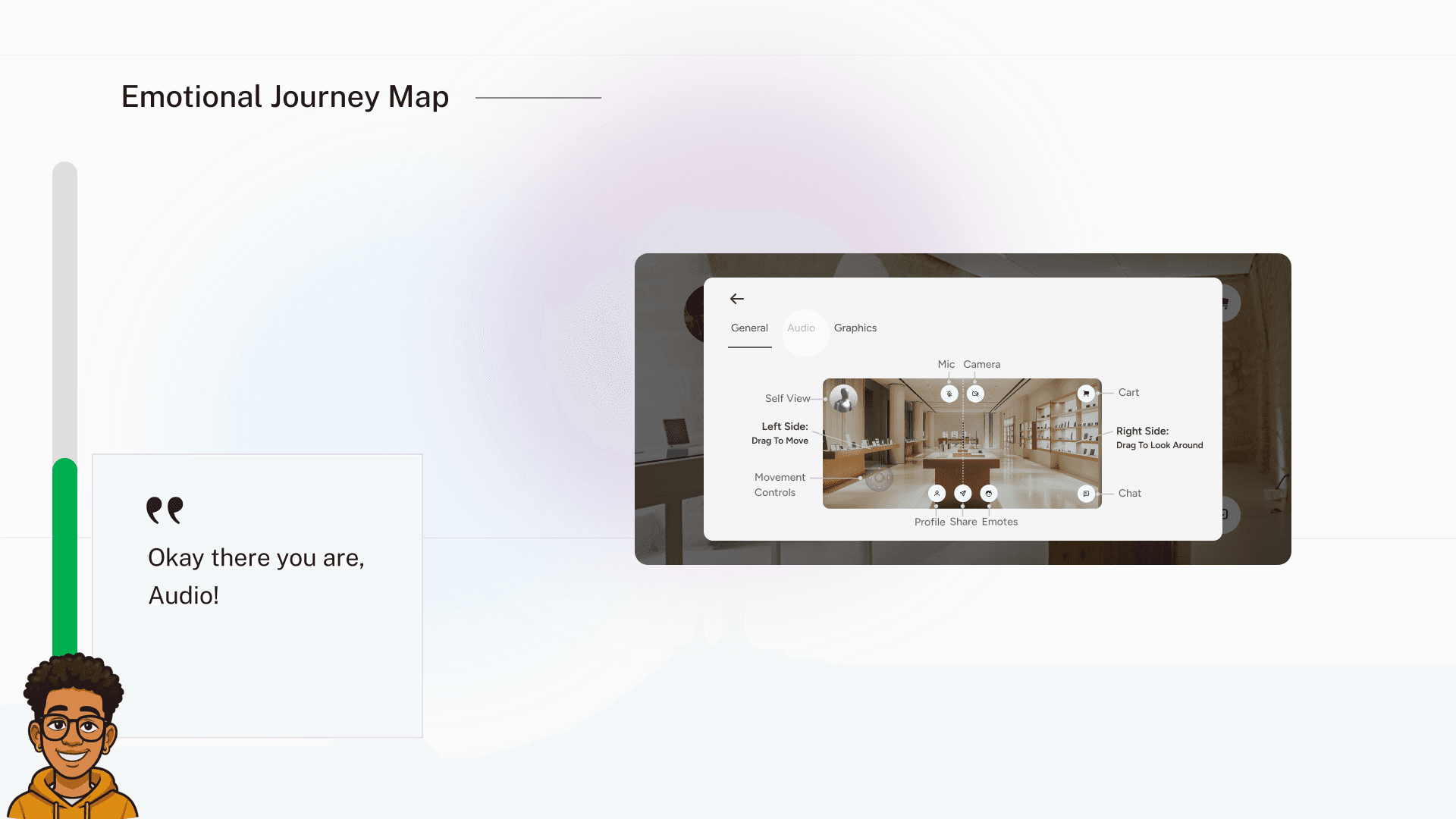
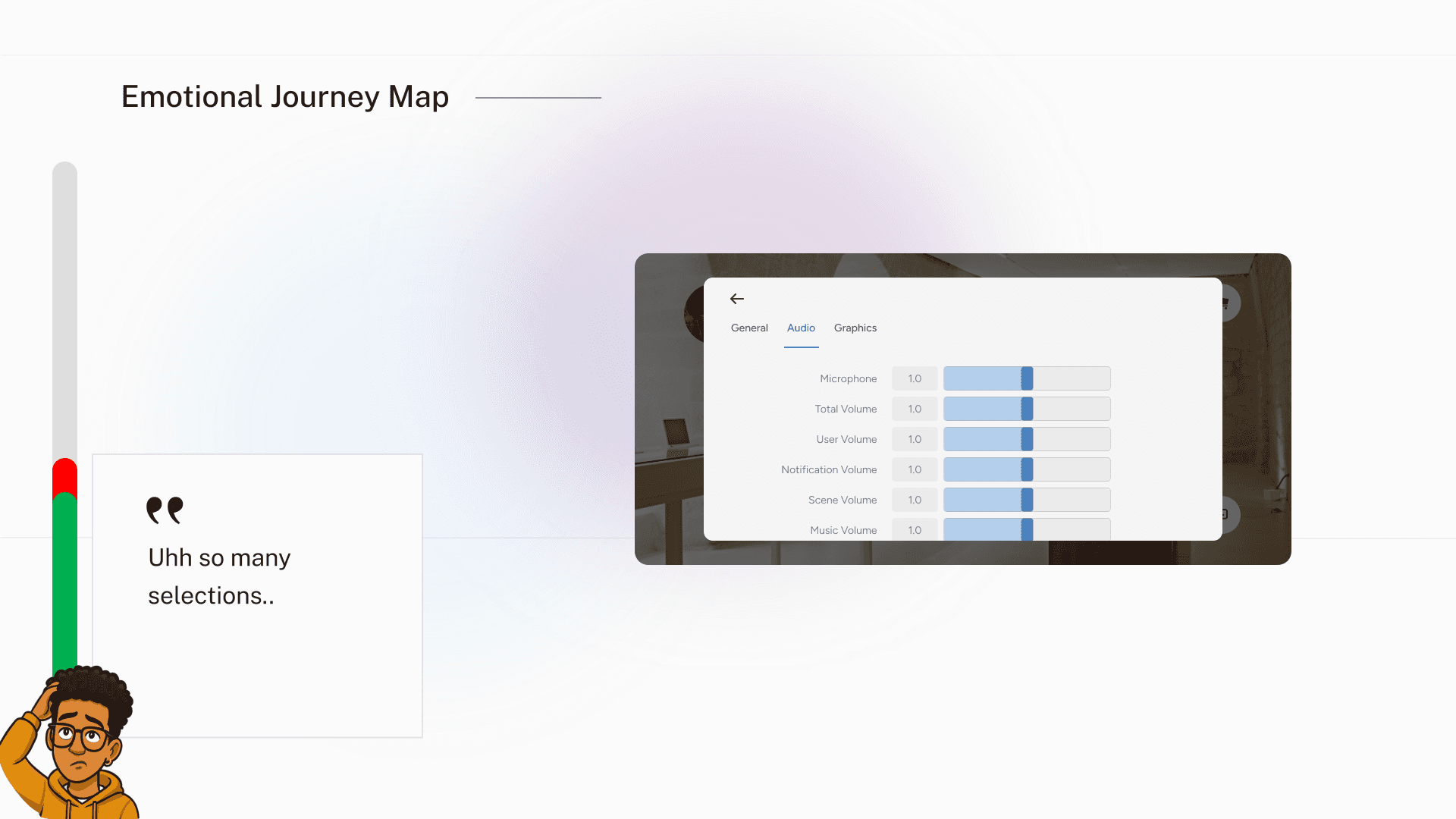
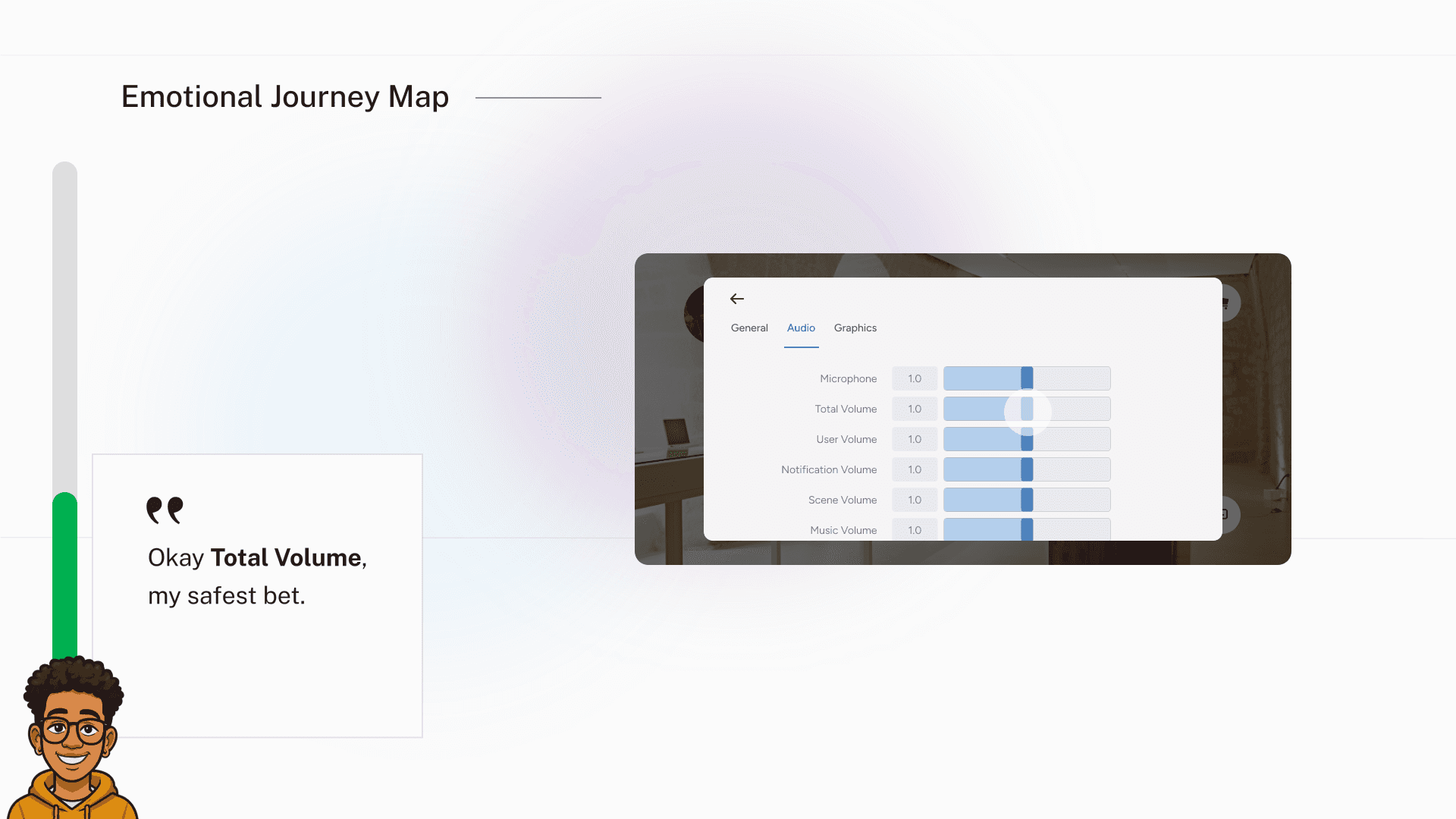
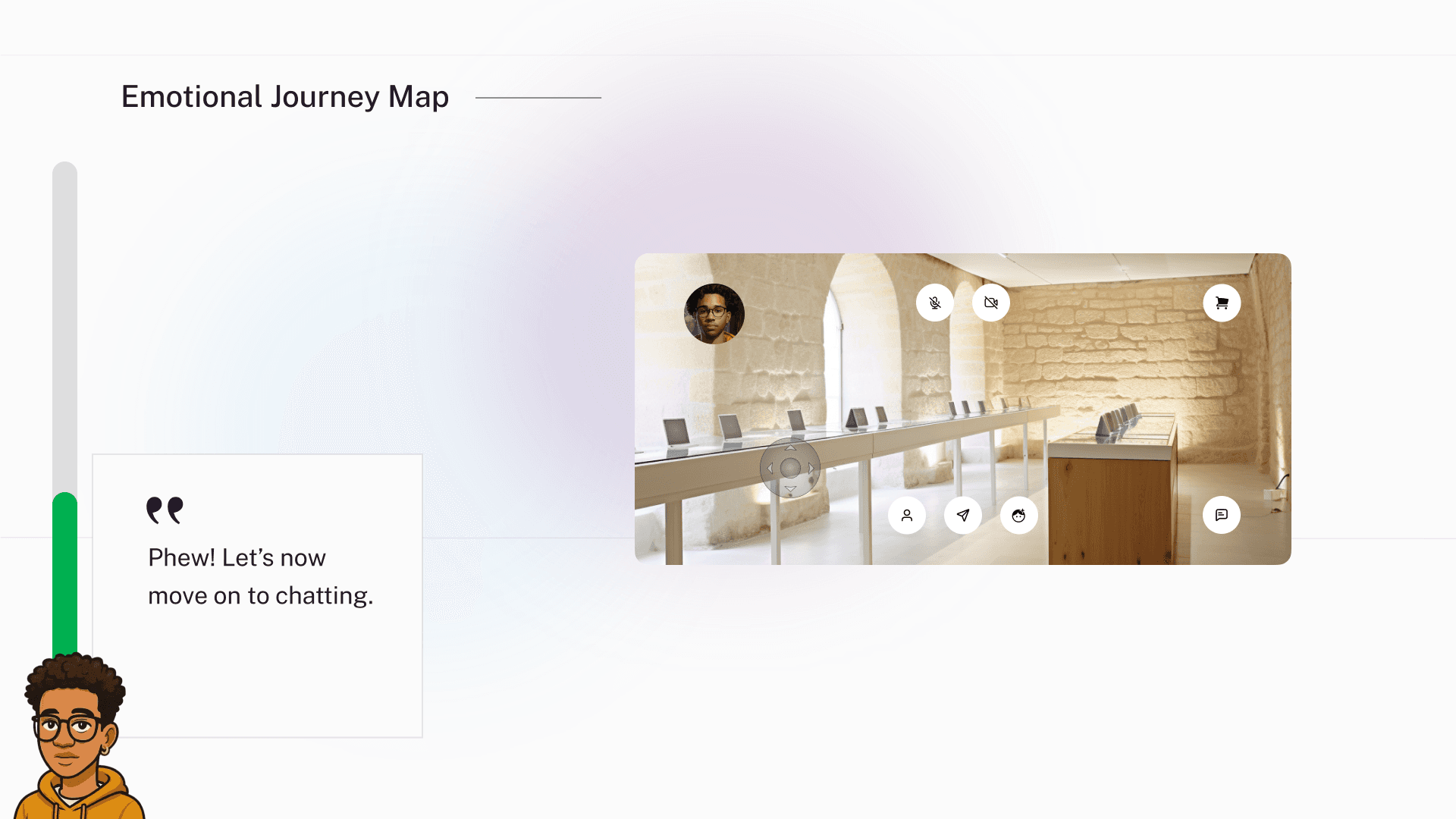
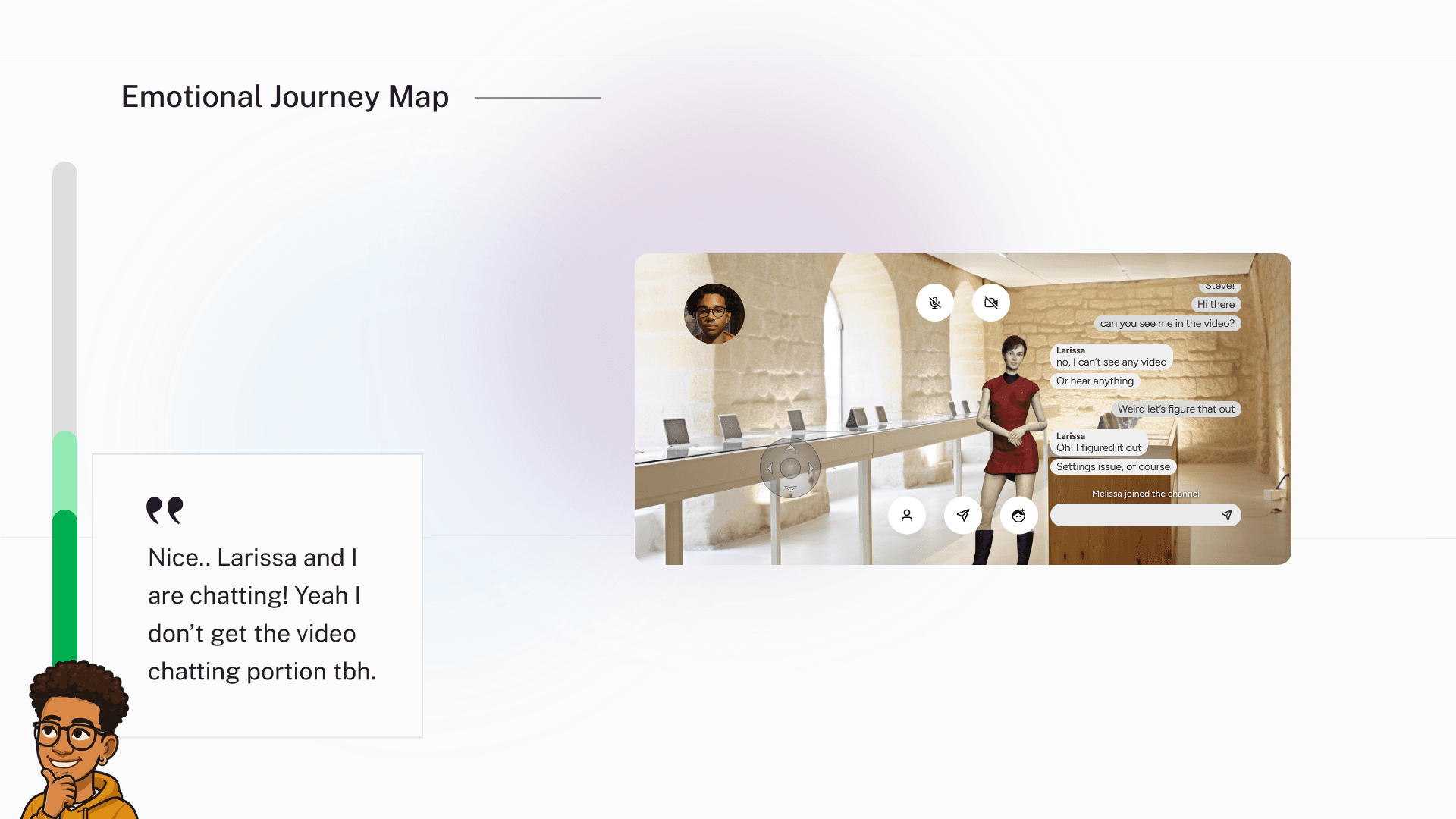
Emotional Journey Mapping
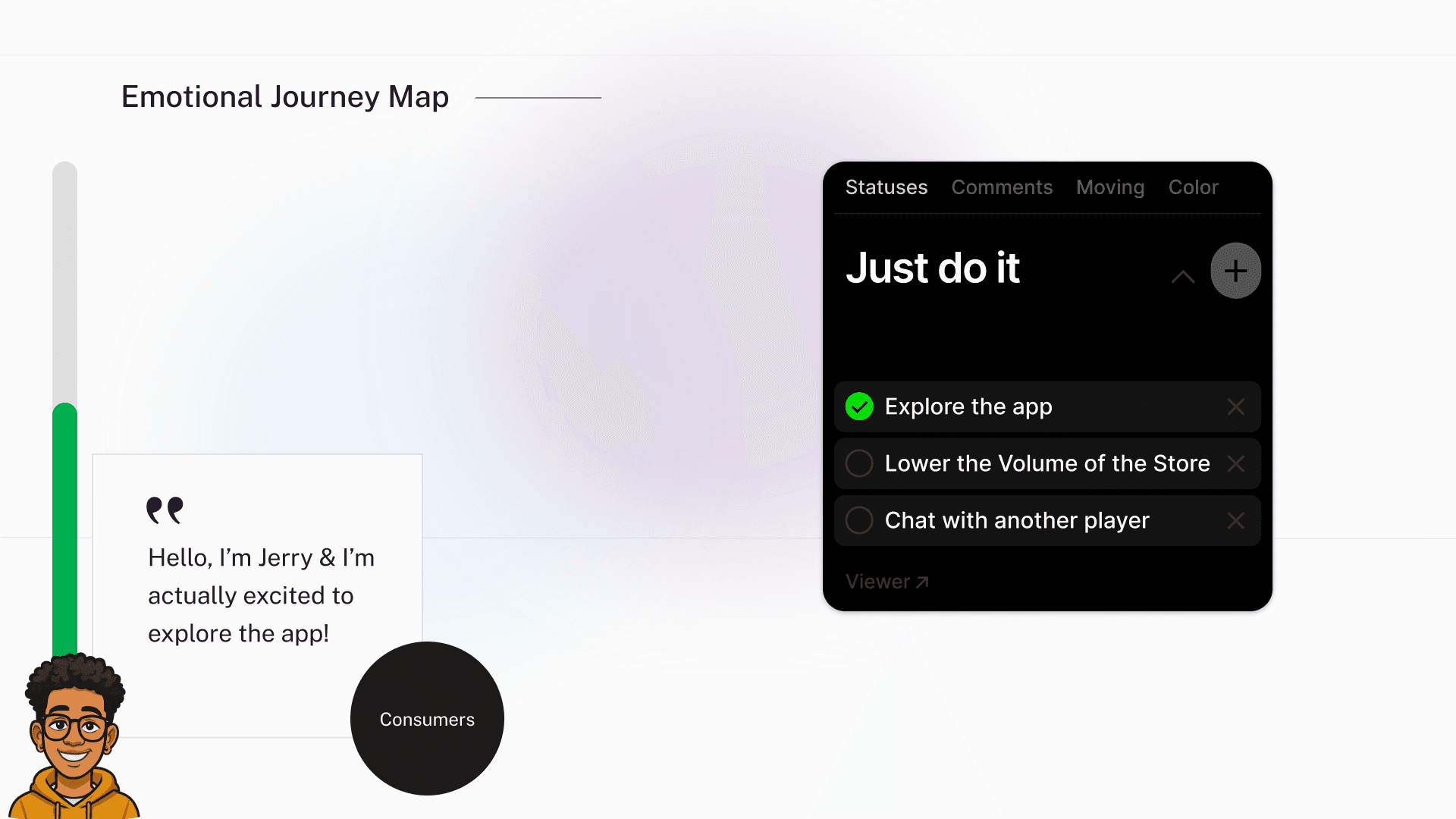
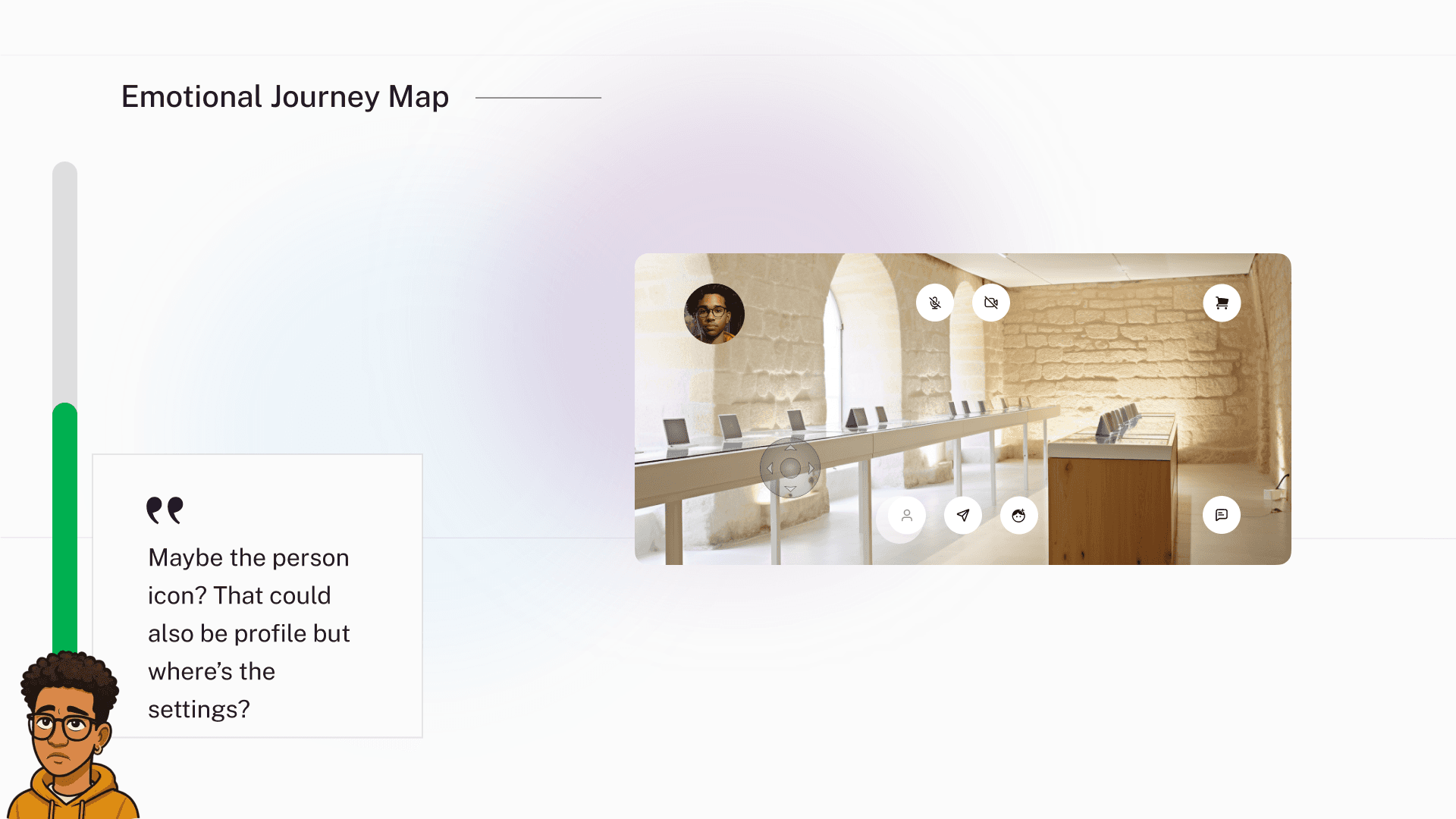
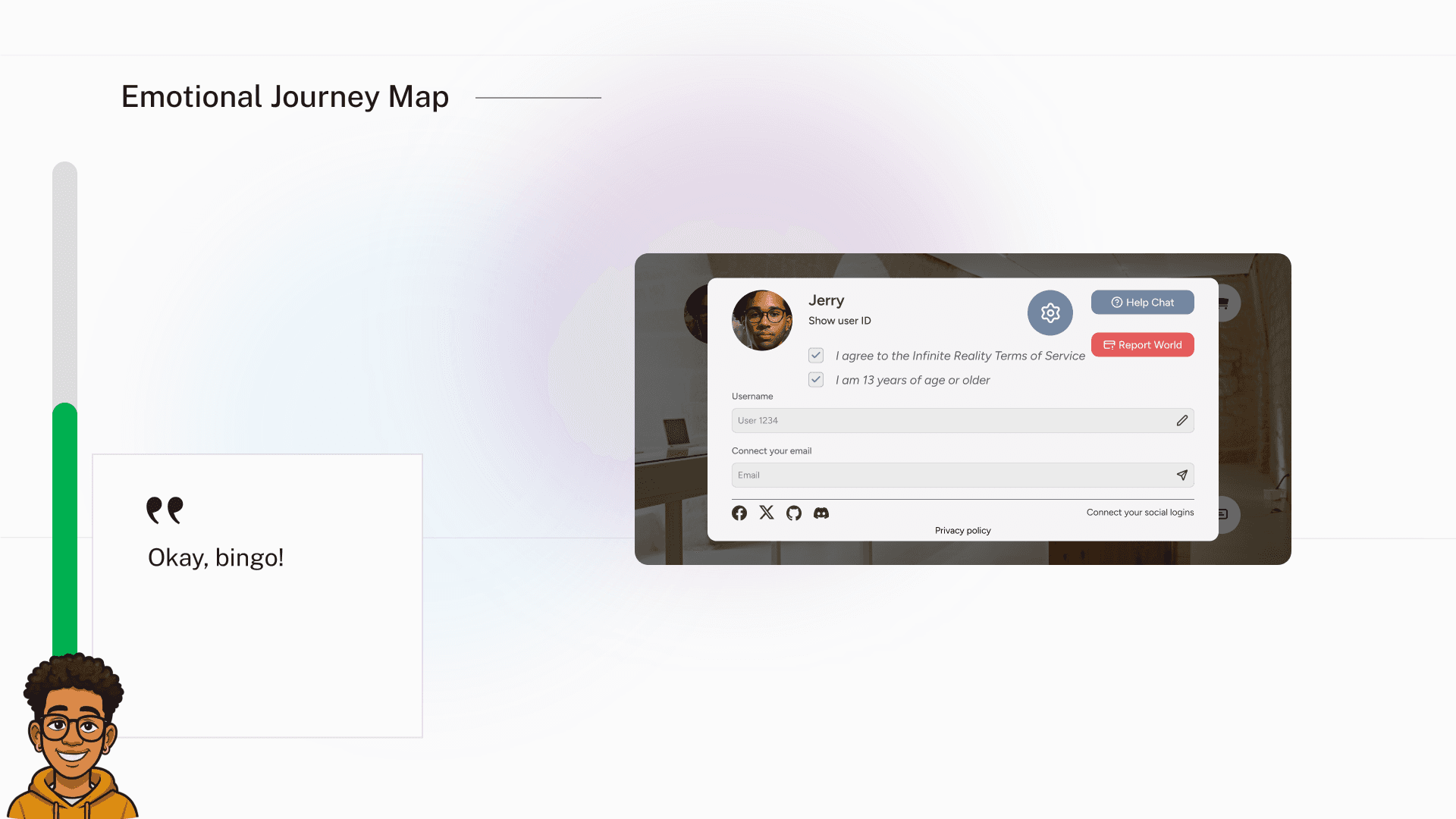
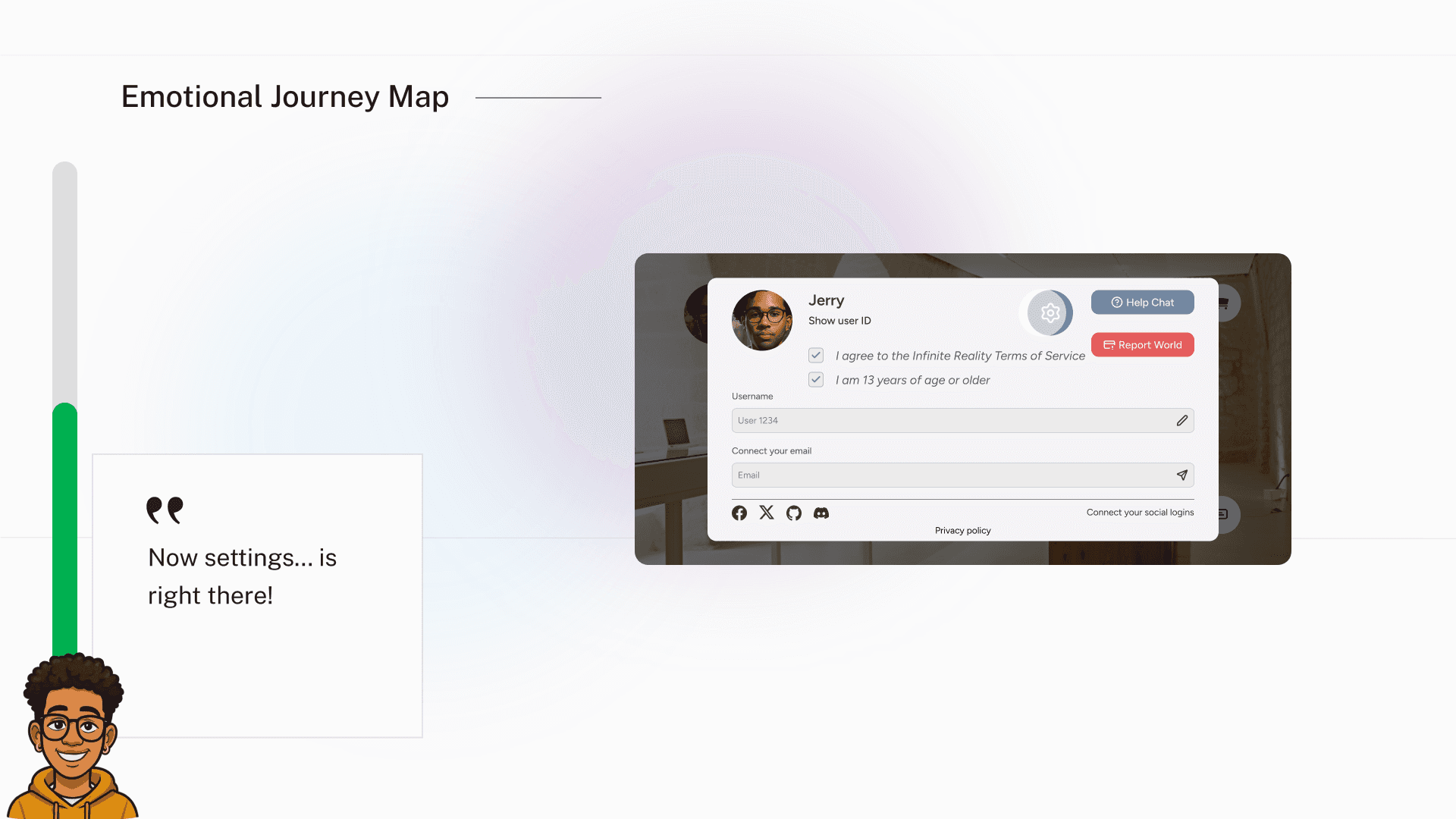
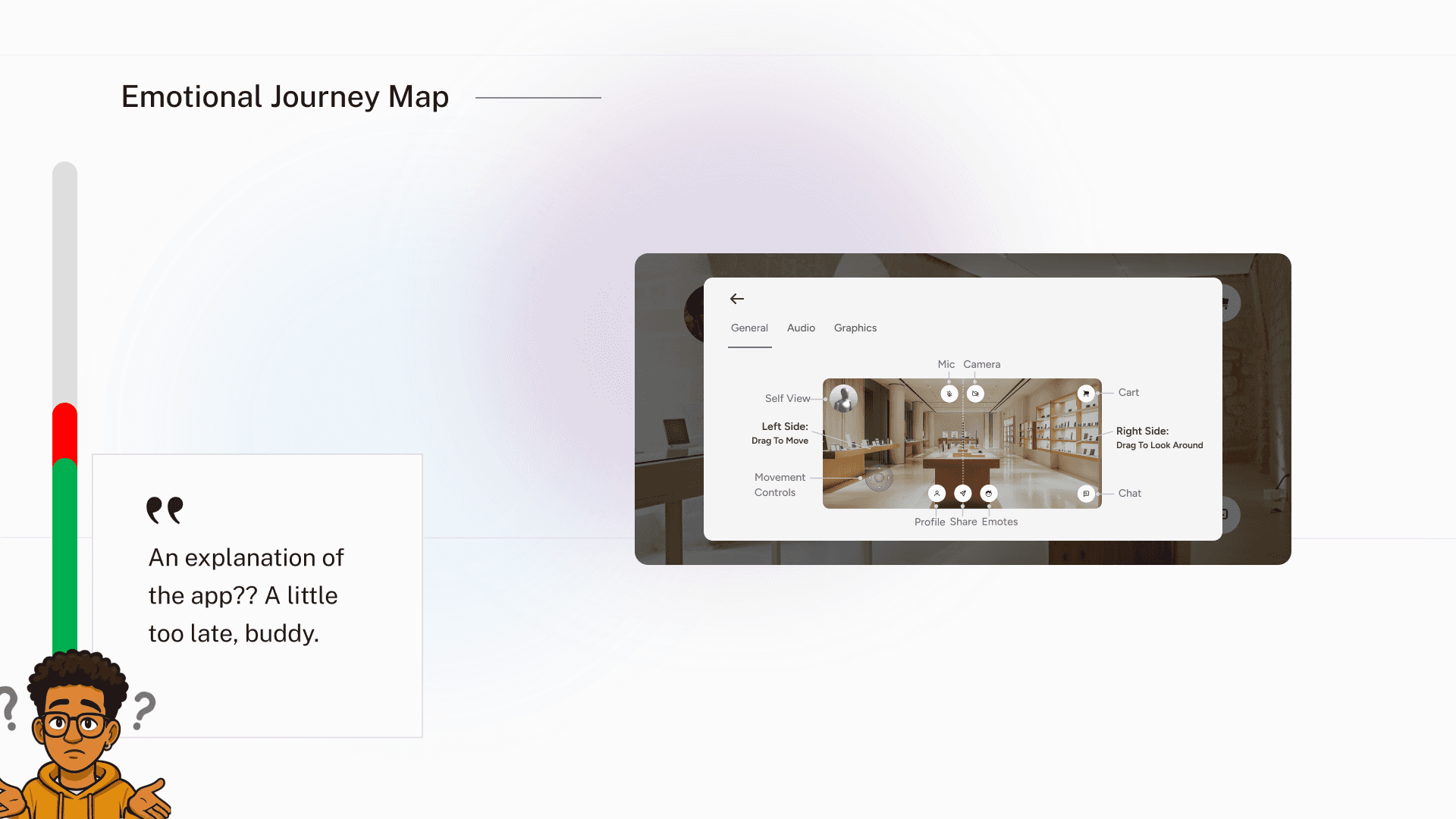
To understand the experience more deeply, I conducted 10 Zoom interviews & mapped the emotional journey of a typical user navigating the Viewer.
Early exploration generated excitement:
“Hey this is kinda cool!”
However frustration appeared quickly when users tried to complete simple tasks such as adjusting audio or locating settings.
Examples of pain points:
• difficulty finding controls
• unclear feature hierarchy
• settings buried in unexpected places
• confusion around social features
The journey showed that users experienced more frustration than delight across core tasks.
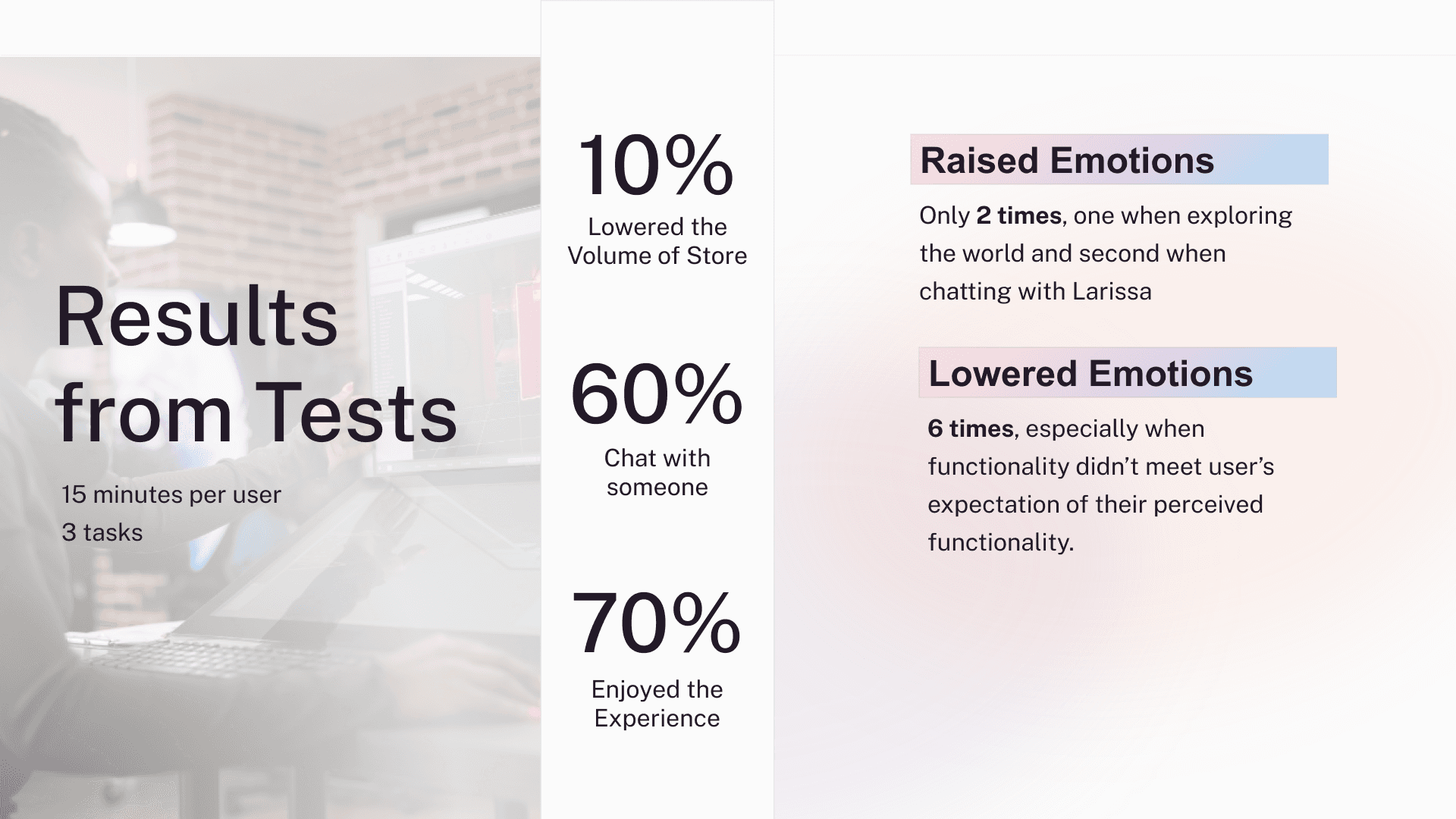
View Slides Below:
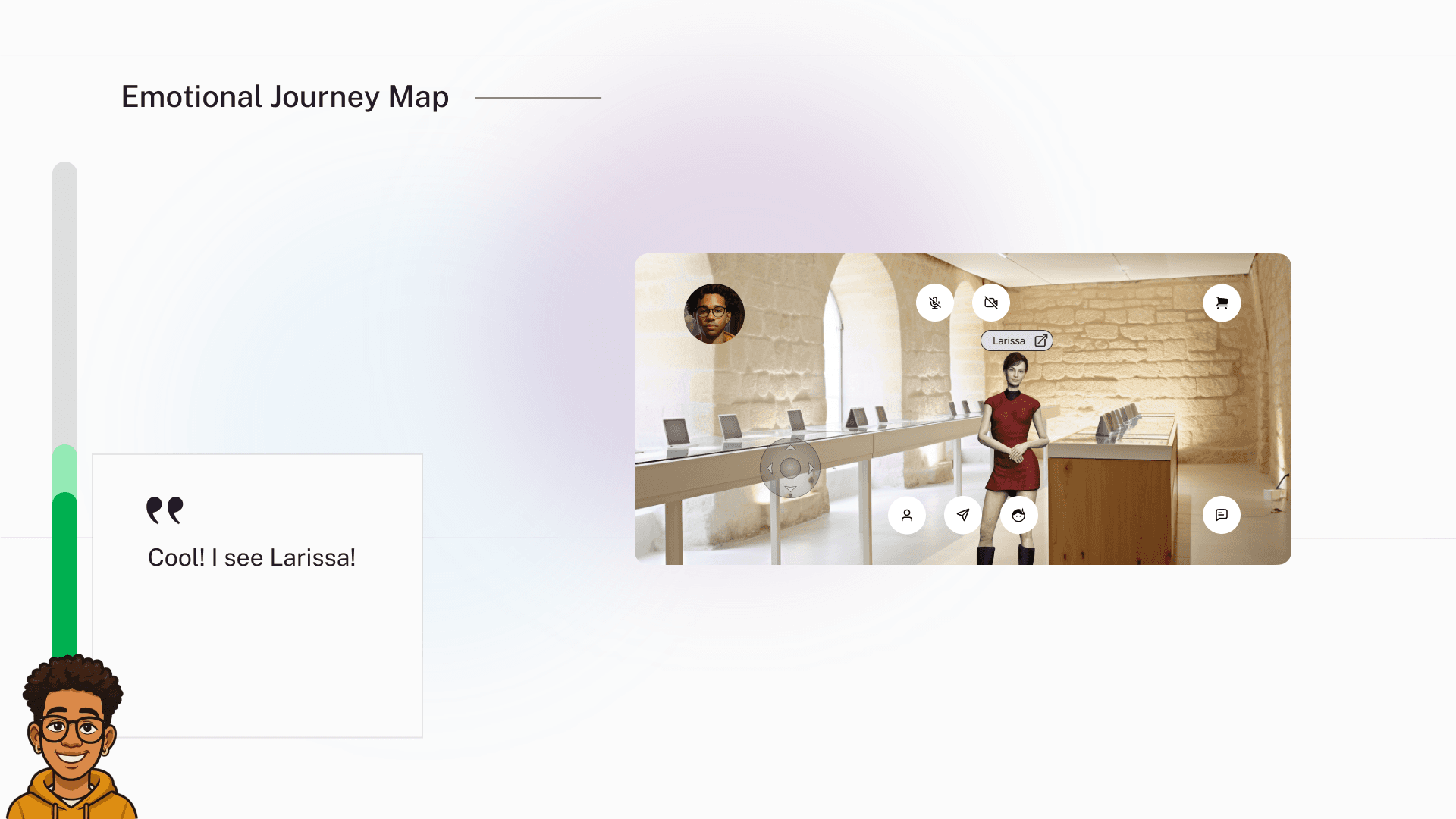
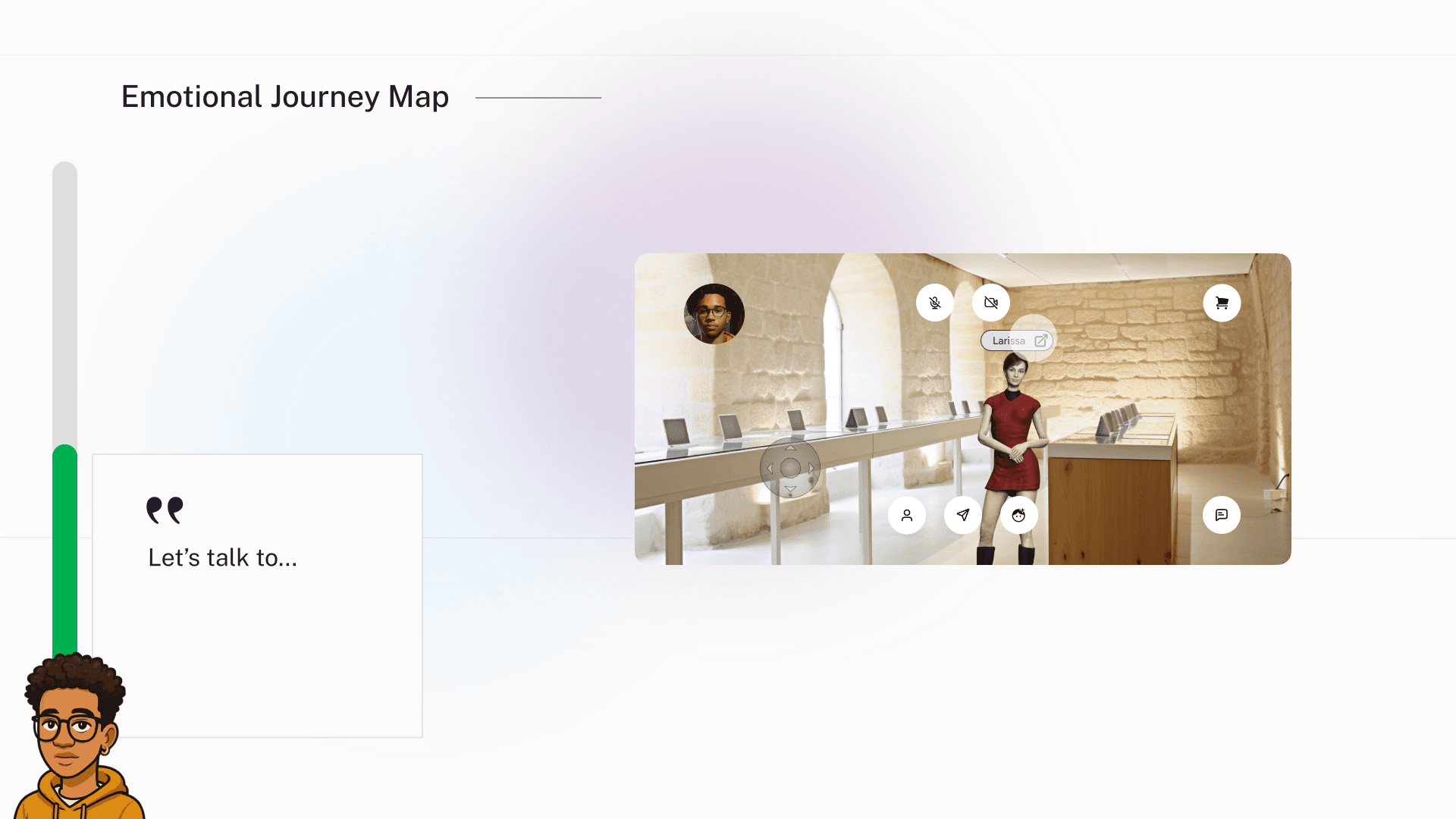
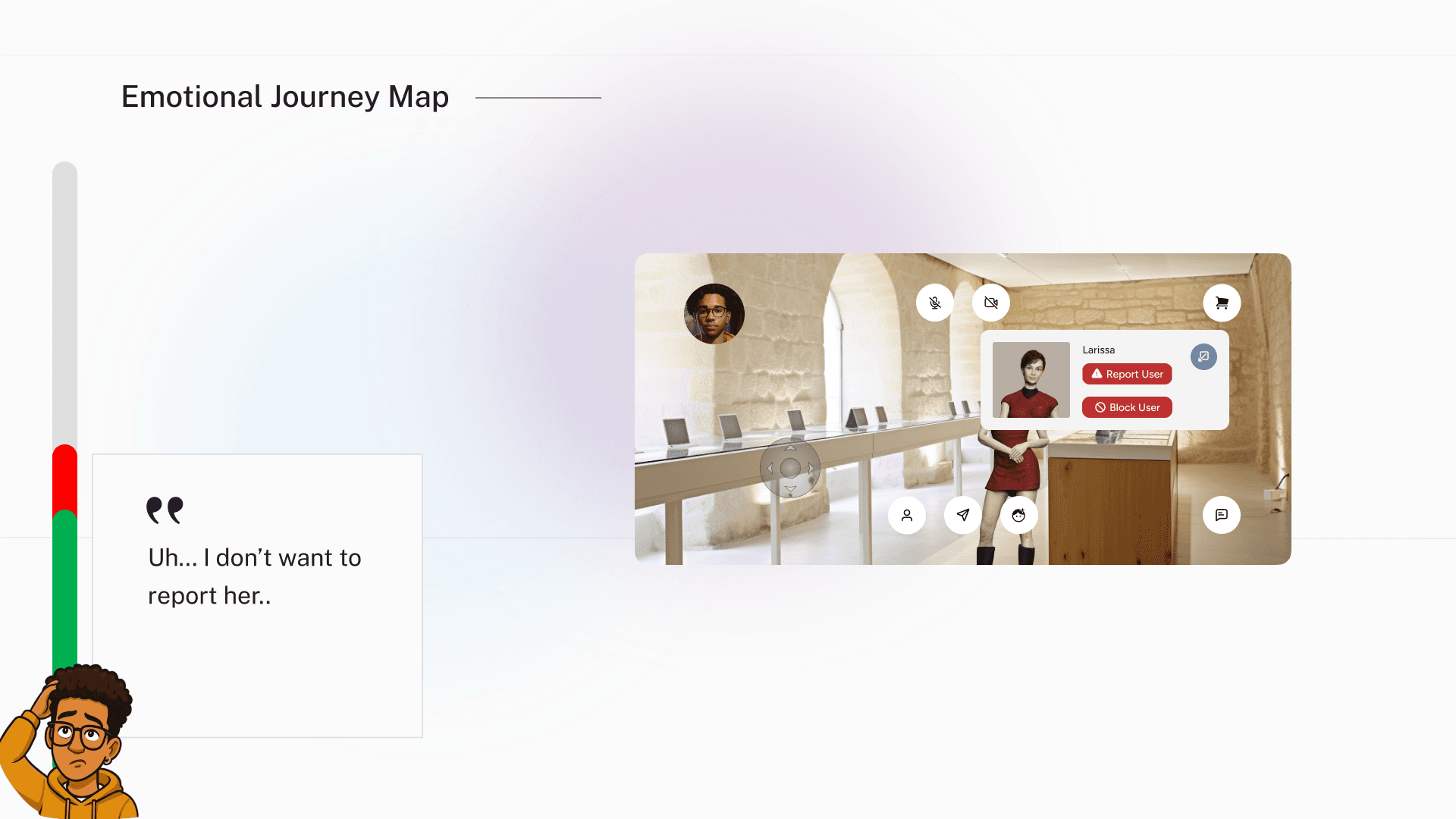
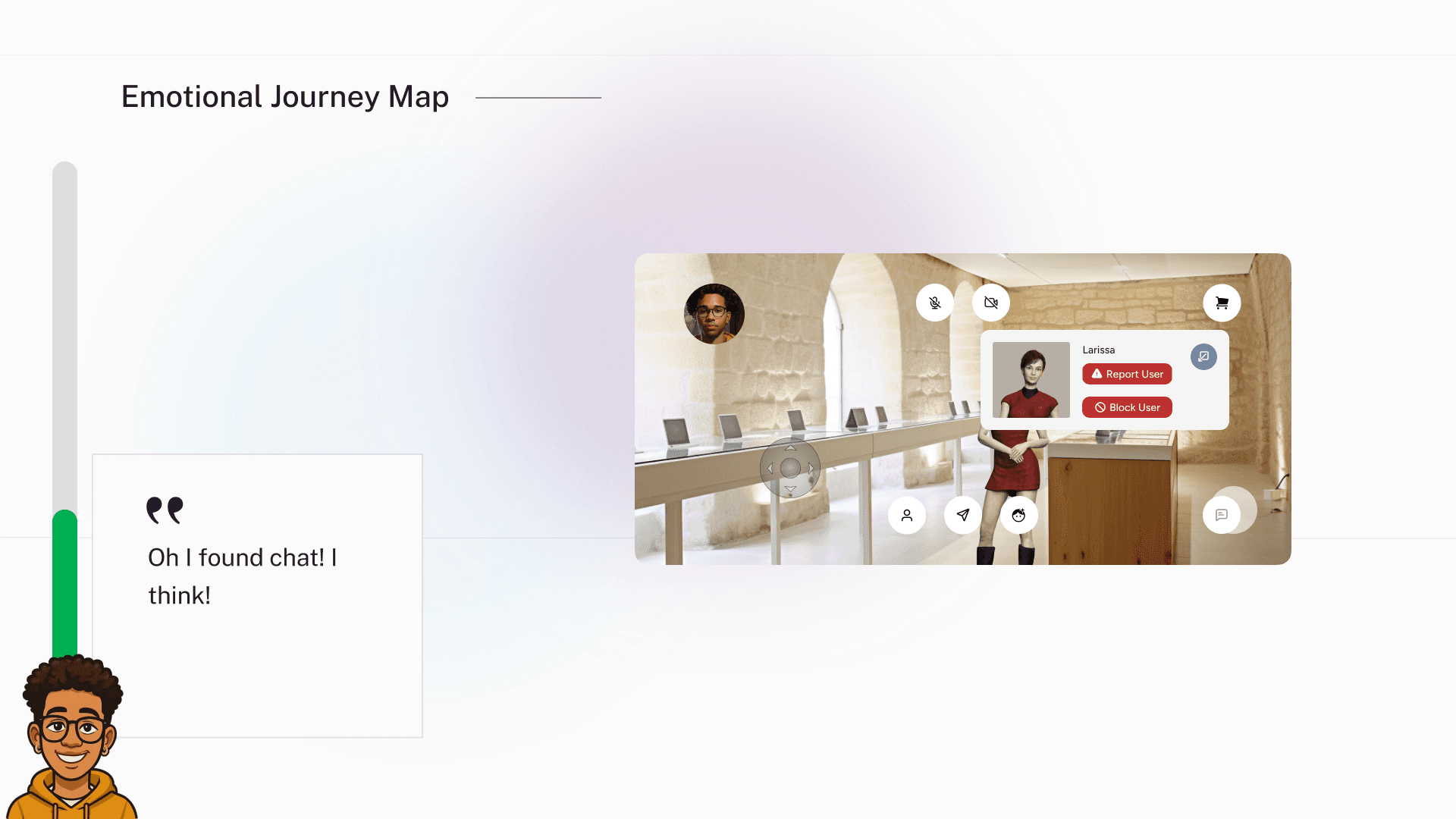
Key Findings
Usability testing revealed several important insights.
Task Results
• 10% of users successfully lowered store volume
• 60% were able to chat with another user
• 70% reported enjoying the experience overall
Despite strong interest in the concept, users struggled with key interactions.
The emotional journey showed:
Raised emotions: Exploring the world and chatting with other users
Lowered emotions: Navigation issues and unclear functionality
This confirmed that the core idea was engaging, but the interface needed clearer guidance and hierarchy.
Key Insights
From research and testing, several themes emerged.
1. Discovery needed structure
Users enjoyed exploring environments but struggled to understand how to interact with them.
2. Social features were essential
Users expected to interact with others inside the space, similar to platforms like Roblox.
3. Interface hierarchy was unclear
Important controls such as settings and chat were difficult to locate.
4. Visual design lacked personality
Feedback suggested the interface felt flat and outdated.
These insights guided the redesign strategy.
Minimum Lovable Product (MLP)
Instead of attempting to redesign the entire Viewer experience at once, I focused on defining a Minimum Lovable Product (MLP) — the smallest set of improvements that would meaningfully improve usability and engagement. I collaborated with engineers to come up with quick slices of testable UI.
The goal was to validate whether a clearer interface, improved interaction hierarchy, and early social signals could increase trust during the first session.
Rather than launching a large redesign with many unknowns, the team prioritized a focused set of high-impact improvements, including:
• clearer navigation controls
• improved settings discoverability
• early social interaction cues
• visual alignment with the new glassmorphism design system
By limiting the scope to what users would immediately feel and understand, we could test whether these changes improved the overall experience before investing in larger platform updates.
This approach allowed us to move quickly while ensuring the product still felt delightful and intentional, not just functional.
Incremental Burst Testing
To reduce risk, engineering & I tested the Viewer experience in short iterative bursts rather than a single large release.
Each cycle focused on validating a small set of hypotheses with real users.
Testing cycles followed this pattern:
Ship a small interaction improvement
Observe real user behavior
Identify friction points
Refine and retest
These bursts helped us quickly identify where users struggled most in the immersive environment.
For example, usability testing revealed that while users enjoyed exploring the world, many struggled to locate core settings or understand the interaction controls. This insight helped prioritize navigation clarity and UI hierarchy improvements in subsequent iterations.
By validating changes incrementally, we reduced the risk of investing heavily in features that might not improve the user experience.
Instead, each iteration moved the Viewer closer to a more intuitive and engaging immersive platform.
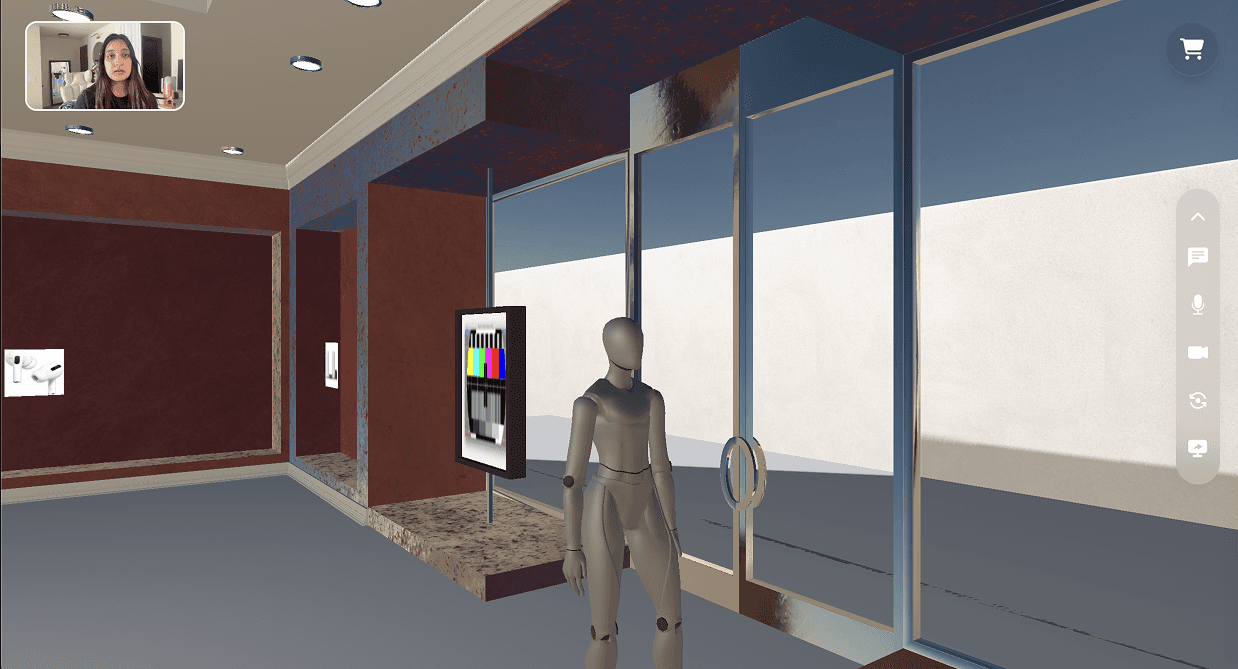
One of the first incremental burst tests focused on simplifying the interface and validating the placement of core interaction elements.
In this iteration, we introduced a cleaned-up layout with the primary menu consolidated to the right side of the screen, along with early experiments around video interaction and UI hierarchy.
The goal was to quickly test whether a clearer spatial layout would help users better understand the available actions inside the immersive environment.
During testing, we evaluated:
• how quickly users discovered the menu
• whether the right-side placement felt intuitive during navigation
• how users interacted with the video and social controls
• how the placement of UI elements affected movement and exploration in the 3D space
Because the test was intentionally lightweight, it allowed us to observe real user behavior without committing to a full redesign.
These incremental bursts helped us validate interface direction early and reduce the risk of larger design changes later in the process.
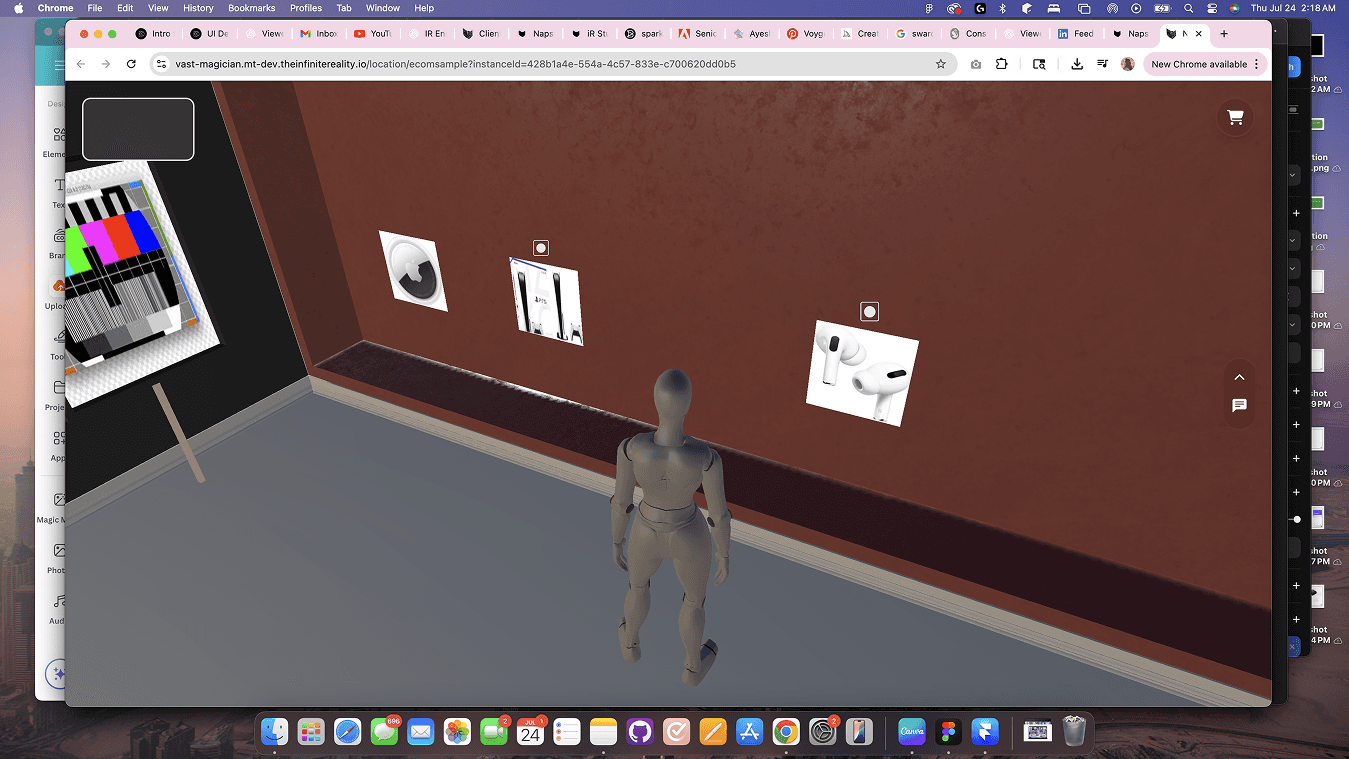
Brand Validation & Visual Direction
I also validated the experience with brand partners, who shared reference images of the virtual worlds with me. Some I created on my own through midjourney, RunwayML or ChatGPT. This helped ensure the interface would work across different visual environments and brand aesthetics.

During testing, I experimented with white opacity overlays, but they failed readability in many scenes. I switched to black opacity with background blur, which improved contrast while still allowing the 3D environment to show through. Later, I was able to get a good frost on liquid glass that worked on all lightings which made it as a final draft after this cycle.
You can see this shift in the video tests and sidebar iterations, which moved closer to the design we ultimately shipped.
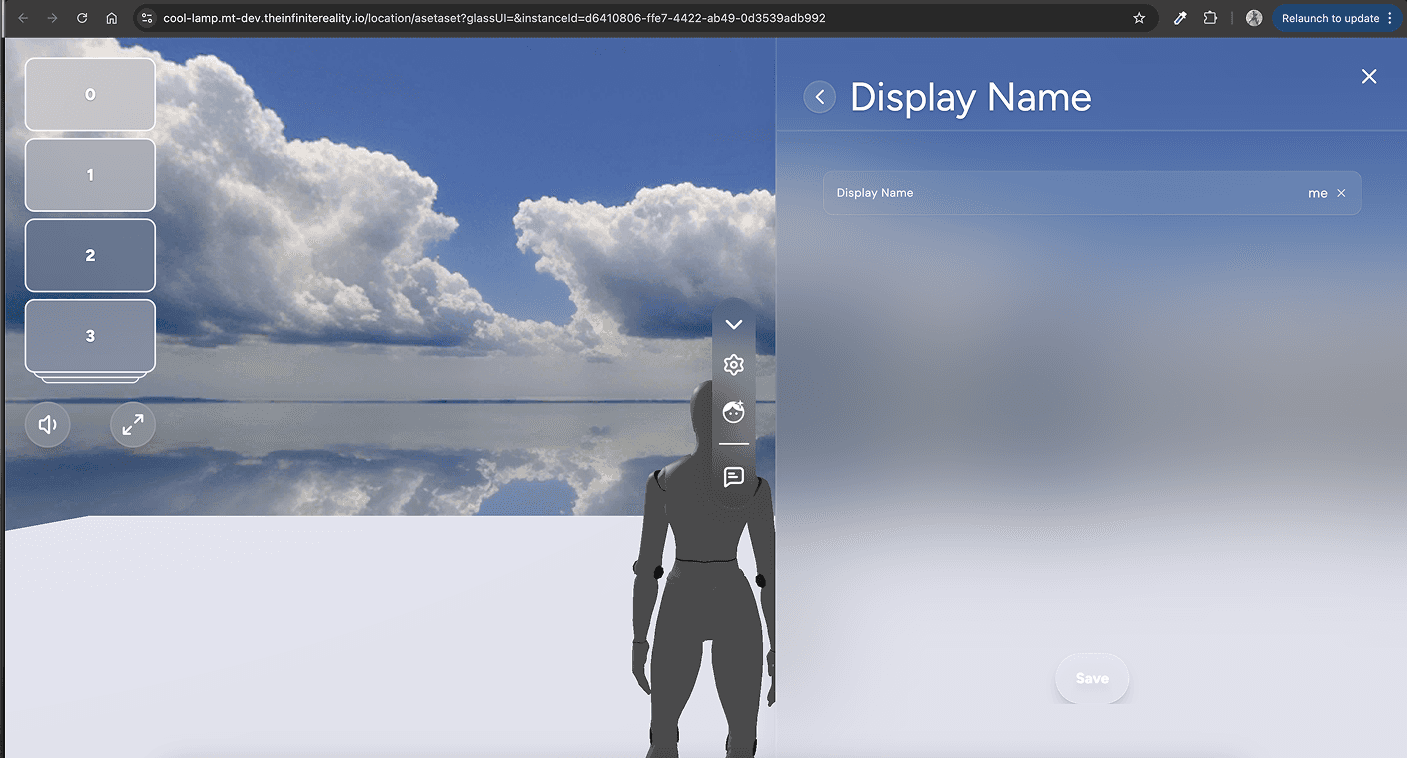
In another burst test, we explored video interactions and a right-side sidebar layout, which moved the interface closer to the final design direction. This iteration also introduced the glassmorphism treatment using black opacity with background blur, improving readability while keeping the 3D environment visible. It also helped us validate the final groupings of items in the menu bar before the first release.
To encourage honest feedback, I intentionally avoided highly polished visuals.
Keeping the designs slightly rough helped prevent hi-fidelity bias, making users feel more comfortable critiquing the experience rather than assuming the interface was already finalized.
Outcomes Over Outputs
Rather than focusing only on UI changes, the redesign prioritized measurable outcomes tied to user behavior and business goals. Each design decision—from menu structure to visual system—was intended to improve usability, engagement, and platform scalability.
Key improvements included simplifying menu navigation, introducing embedded video and chat for social interaction, evolving the interface toward a glassmorphism system using black opacity and blur, and designing predictable layouts that reduced cognitive load.
Together, these changes helped users discover actions faster, stay longer in immersive worlds, and interact more naturally with other users. For brands and partners building environments on the platform, the scalable UI system also enabled faster world production and a more consistent experience across different environments.
Positive Feedback
"I like how clean it looks. I can find the settings now."
"Exploring products in the 3D space is fun…"
"If this is the direction, we can definitely use this for smaller, quicker campaigns."
directional Feedback
"I still need a way to have easier navigation."
"Brands are willing to go this direction, but with a few polishes for visuals and social features."
"Is this going to sell my products?"
HOW MIGHT WE…
make navigating virtual storefront spaces intuitive for users while making it appealing for brands to launch faster campaigns on their virtual stores?
Previous Design
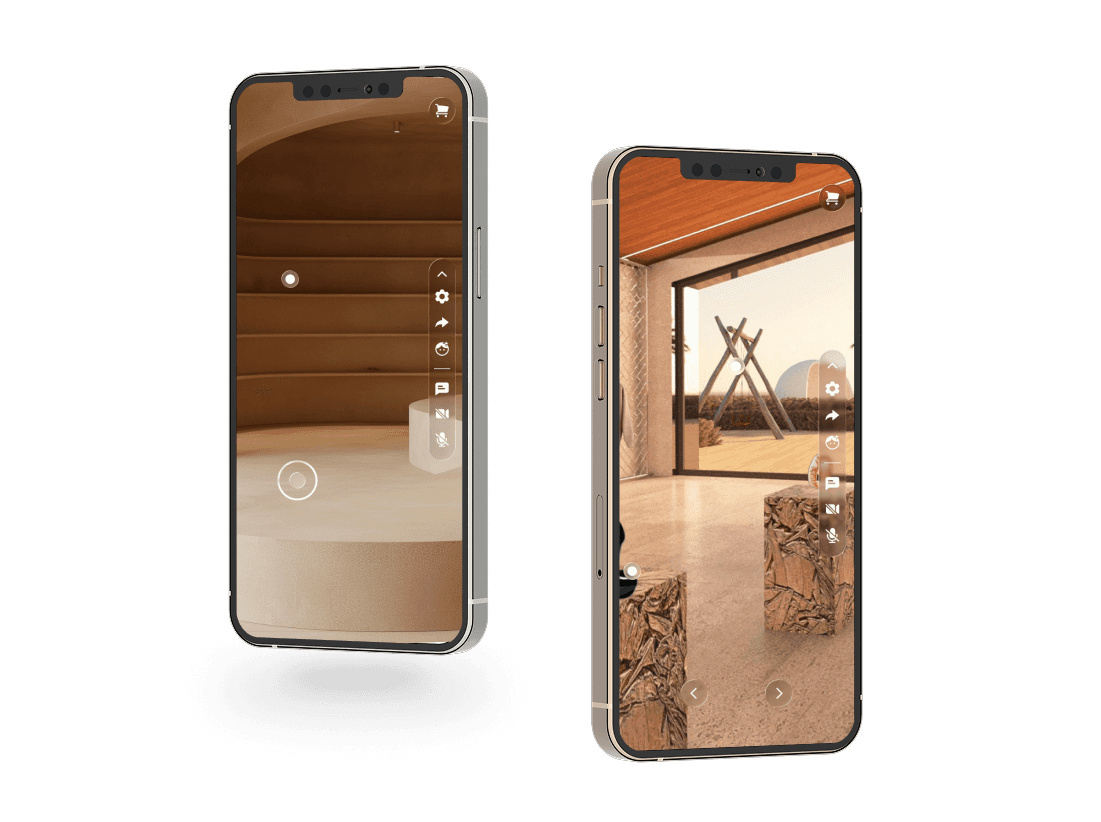
Viewer initially only operated in landscape mode, which already introduced friction for users entering from mobile devices. Instead of smoothly onboarding into the experience, users had to rotate their phones before even interacting with the environment.
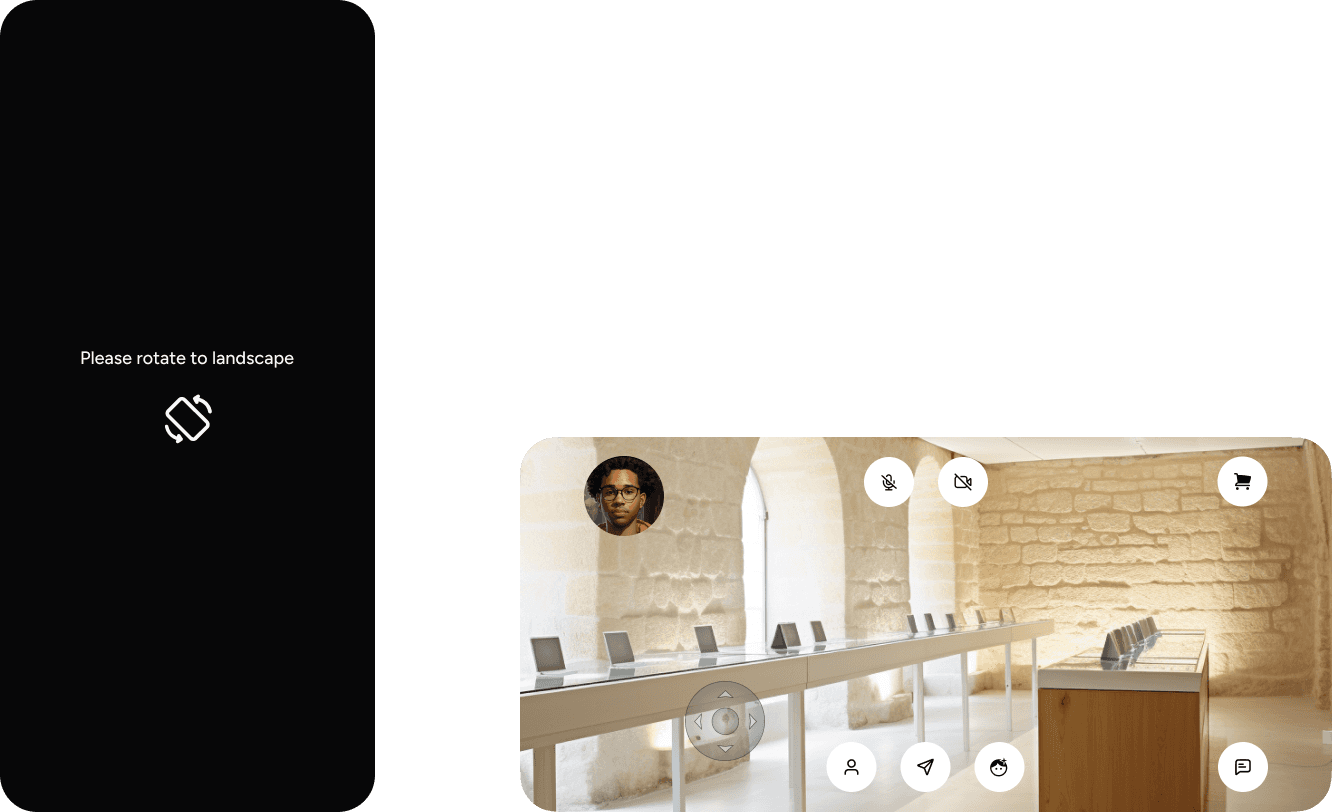
Once inside, the interface created additional usability challenges. Icons competed for attention across the screen, and because the virtual environments themselves were visually rich, the scattered UI increased overall visual noise.
Buttons also appeared inconsistently placed—some grouped together while others were isolated—forcing users to learn a new control system before they could comfortably navigate the space. This added unnecessary cognitive load and reduced overall usability.
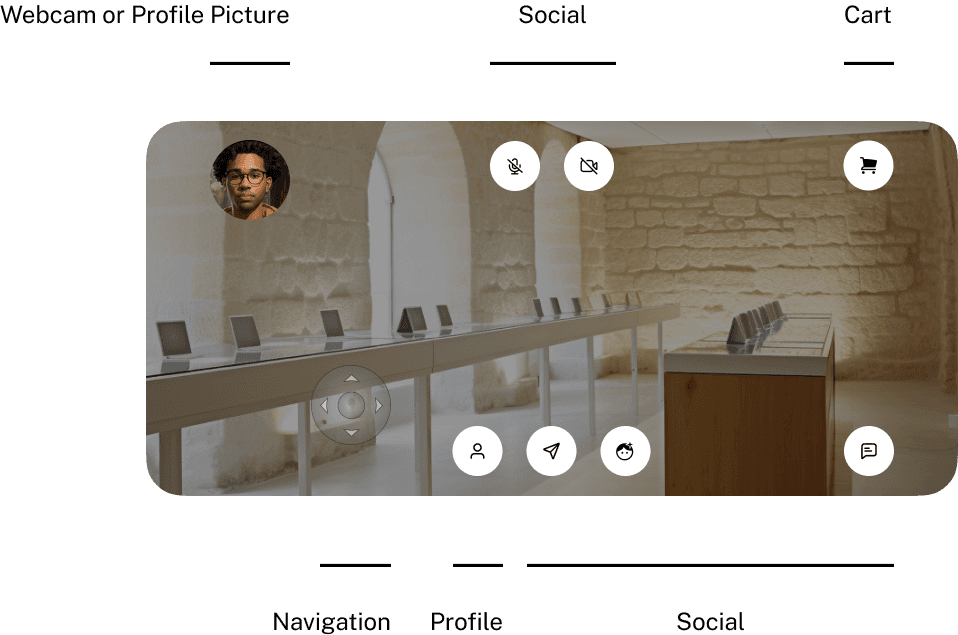
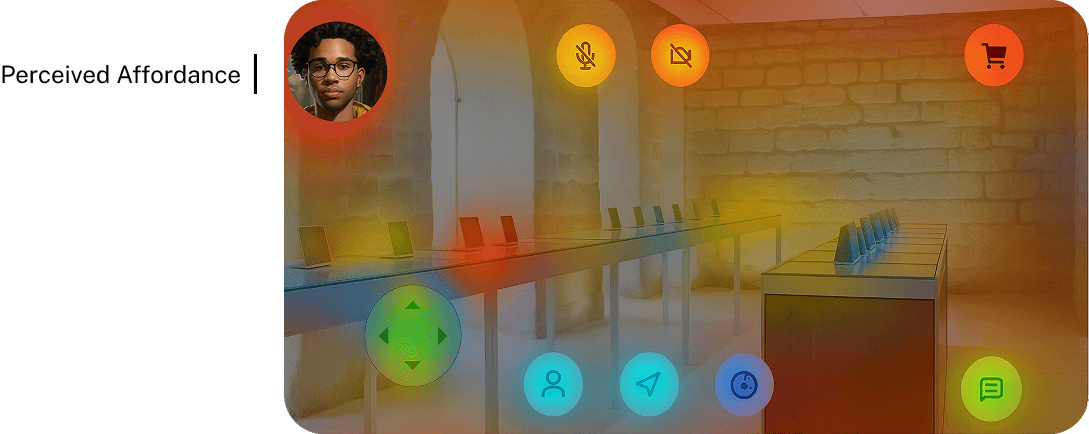
To better understand user behavior, we analyzed interaction heat maps across the interface.
The heat map showed red as the most clicked areas and blue as the least interacted with.
Surprisingly, the navigation joystick appeared mostly green, indicating that users were not exploring the environment as much as expected. Instead, most interactions clustered around elements like the profile avatar, cart icon, mute controls, and video features.
This insight revealed that users were focusing more on interface elements than the immersive world itself. It reinforced the need to simplify the UI, clarify navigation, and reduce competing controls so exploration could become the primary interaction.
Redesign, Refine. 💎

Landscape vs Portrait
Originally, the Viewer only operated in landscape mode, which created friction for mobile users. While games and virtual worlds are played in landscape about 70% of the time, mobile behavior shows that people naturally hold their phones upright about 95% of the time.
Because of this, I made portrait responsiveness a priority in the redesign.
Portrait mode supports the natural mobile posture, allowing users to enter the experience immediately without rotating their device. This reduces onboarding friction and keeps users in flow when launching a world from social links, marketing campaigns, or mobile browsers.
Landscape still supports deeper exploration, but prioritizing portrait made the experience more accessible and intuitive for first-time users.

Reducing Visual Noise
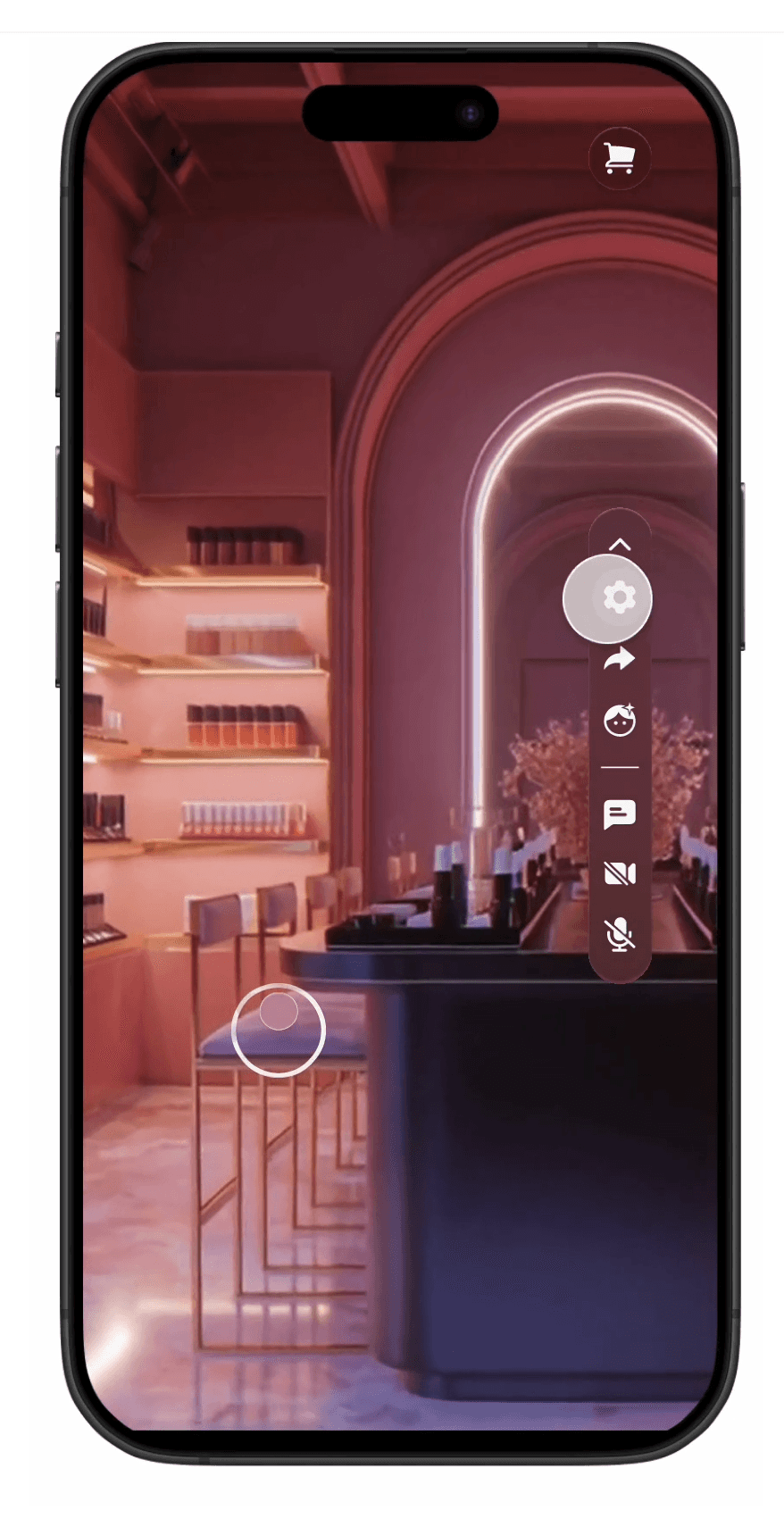
The interface was redesigned so users could see much more of the virtual world rather than having UI elements competing for attention. Controls were reorganized into clearer groupings and placed within a collapsible sidebar, reducing scattered buttons and visual clutter.
This allowed users to focus on the immersive environment first, while still being able to access controls like chat, profile, or settings when needed.

Onboarding Decision
A full onboarding flow was considered, but it required significant engineering time and was out of scope for this release. Instead, engineering & I met in the middle and implemented a lightweight solution that still introduced users to the system.
During a user’s first session, the menu appears open by default, allowing them to immediately see the available tools and features. This provides a soft introduction to what’s possible in the experience without requiring a formal tutorial.
For returning users, the menu appears collapsed, reducing cognitive load and allowing them to focus on enjoying the environment.
This approach supported progressive disclosure, introducing functionality gradually while keeping the interface clean for experienced users.
Hotspots Before & After:

Interactive Hotspots
Before: Square, Static, light gray/white
After: Circle, glowing, animated, pulse
To guide users through the environment, I introduced pulsing hotspots that highlight key points of interaction. The subtle pulse adds a sense of delight while increasing the user’s perceived interactivity within the world. I coordinated with engineering on the animation of the soft pulse that I created on Figma.
I sent GIFs to my team to keep everyone in the loop on designs & avoid confusion on this overhaul redesign.
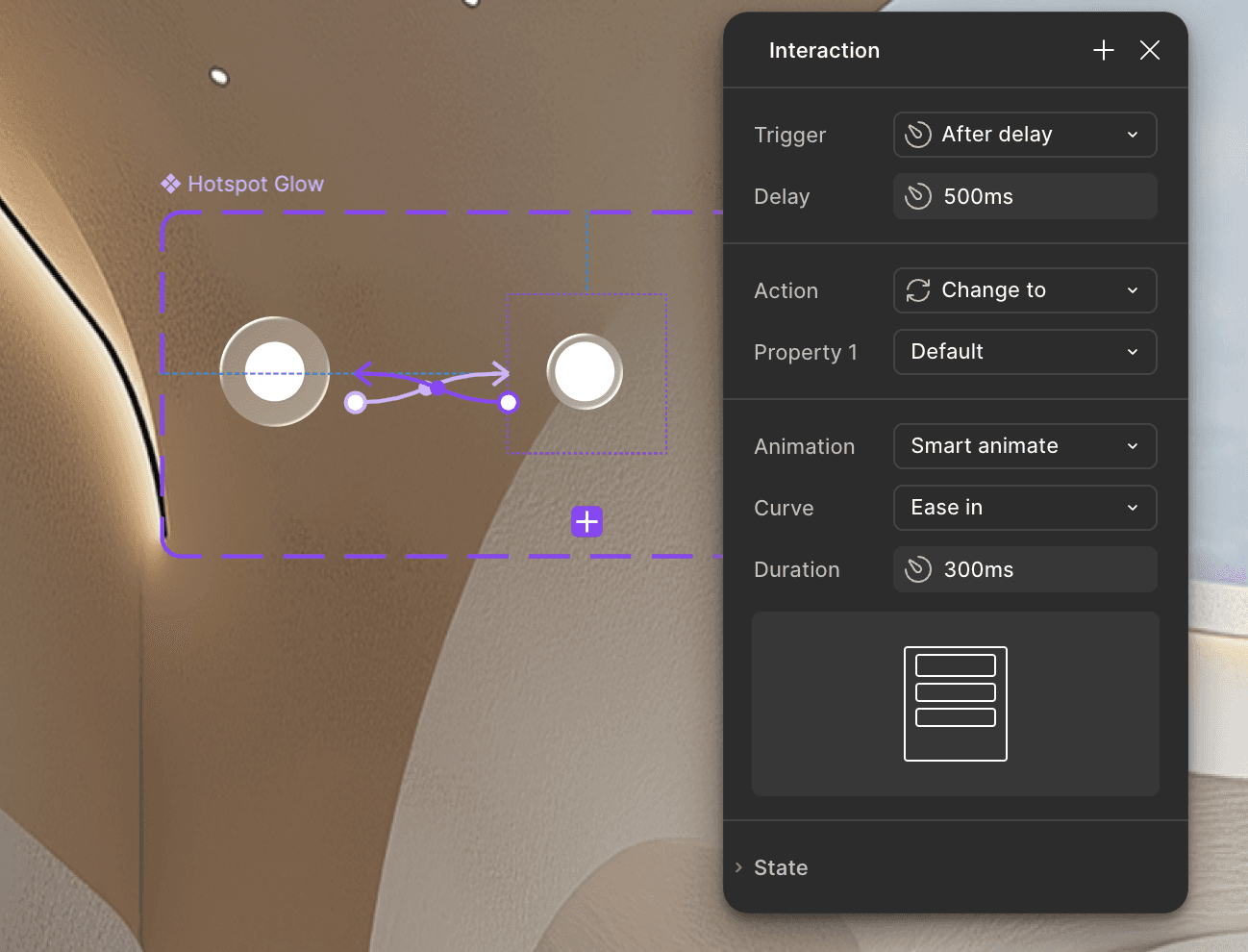
From a behavioral standpoint, humans are naturally drawn to movement, light, and circular shapes, which makes these cues effective at guiding attention. In contrast, sharp edges and static elements can feel more stressful or easy to overlook.
In complex 3D environments, where users can easily miss interactive elements, these pulsing hotspots help direct attention instantly and make exploration feel more intuitive.

Designing for Scalability
The Viewer experience was designed to support different brand goals and interaction styles.
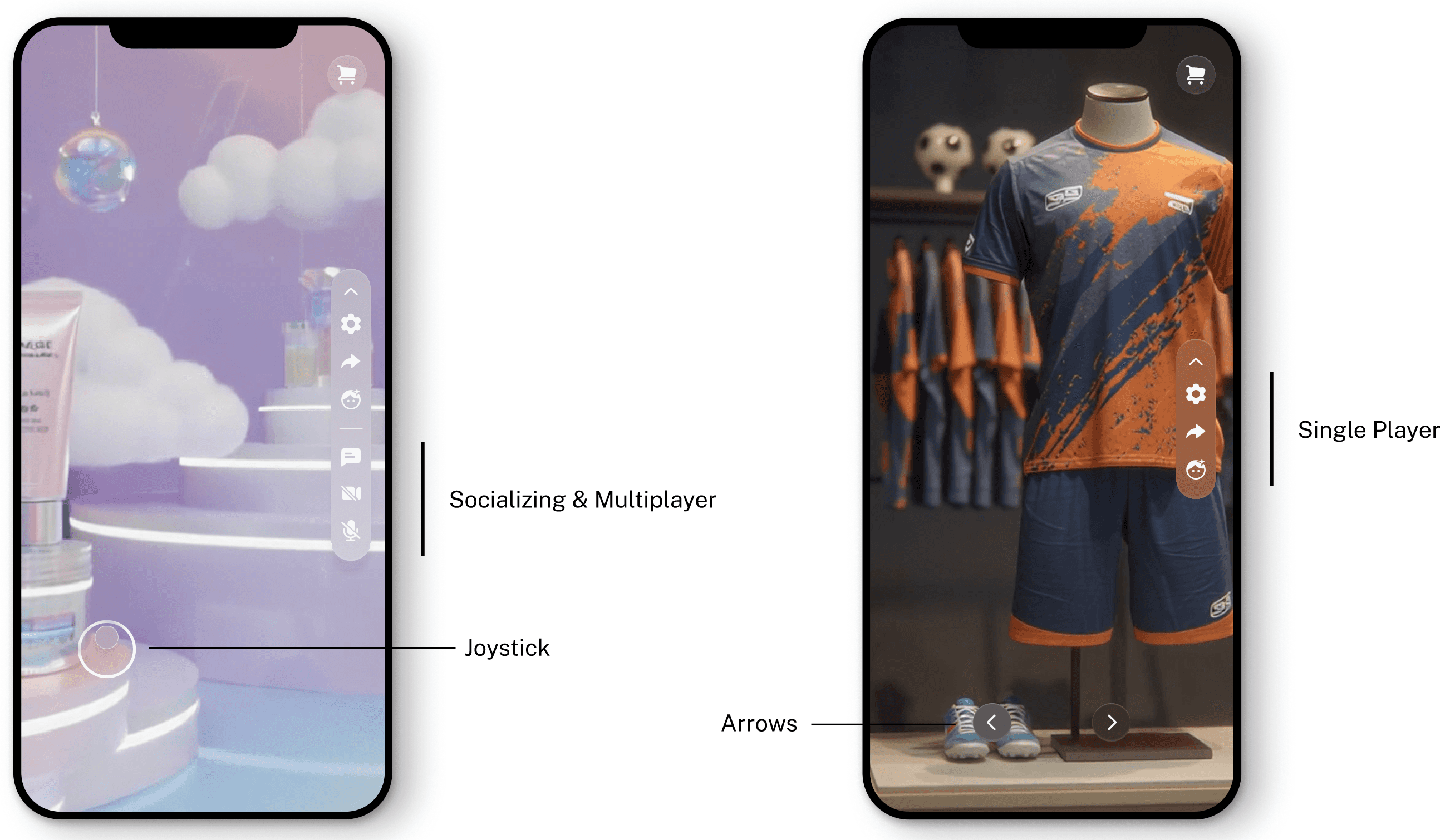
During research, we spoke with partners like Laneige and Fenerbahçe, who work for a skincare brand that wanted users to explore freely and interact with each other inside the world. For these more social environments, we enabled features like chat, video, and joystick navigation, encouraging open exploration and player-to-player interaction.
On the other hand, partners like Fenerbahçe, representing a professional soccer team, wanted a clean, controlled shopping experience with minimal distractions. For these environments, social features could be disabled and navigation switched to guided arrows instead of a joystick, creating a more structured browsing path.
Designing the system this way allowed Viewer to scale across different brand needs—from social, exploratory spaces to focused retail experiences—without requiring entirely different platforms.
Chat & Video Interaction
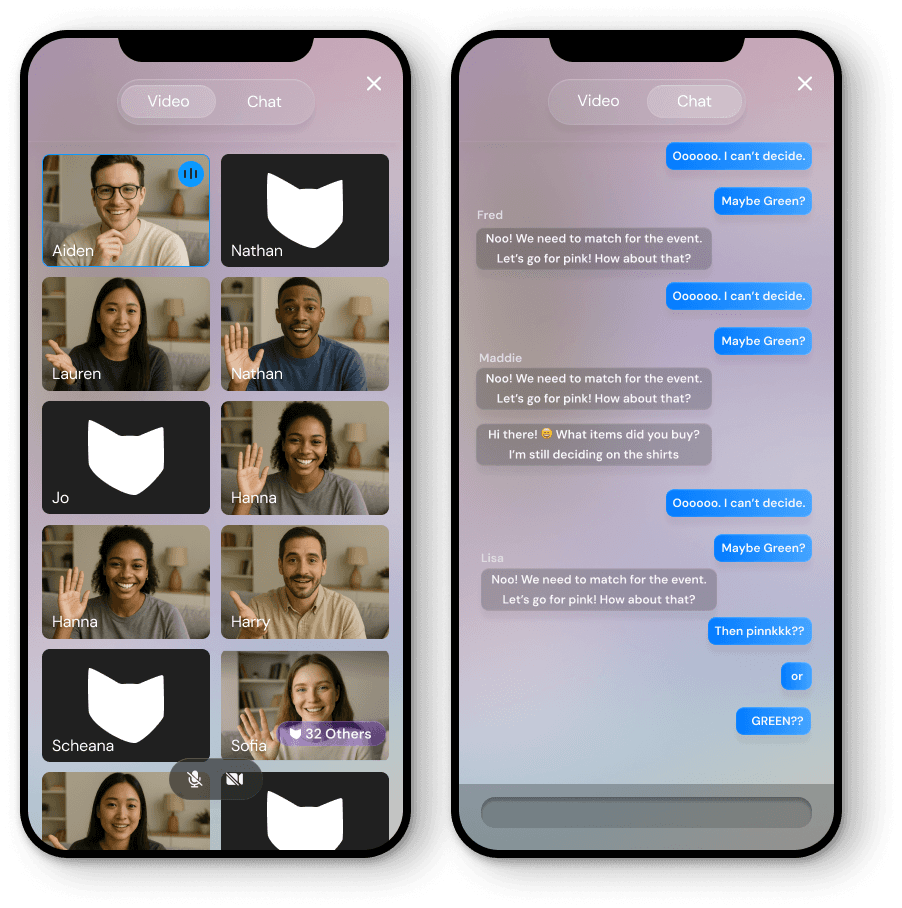
Users can also switch video to full-screen, but for chat I made full-screen the default. This decision came from a survey in our Discord community where many mobile users shared that they don’t roam around the world while chatting, since the screen feels too small.
To respect mobile constraints, chat prioritizes a focused, single-task view, removing unnecessary visual noise so users can comfortably read and type longer messages.
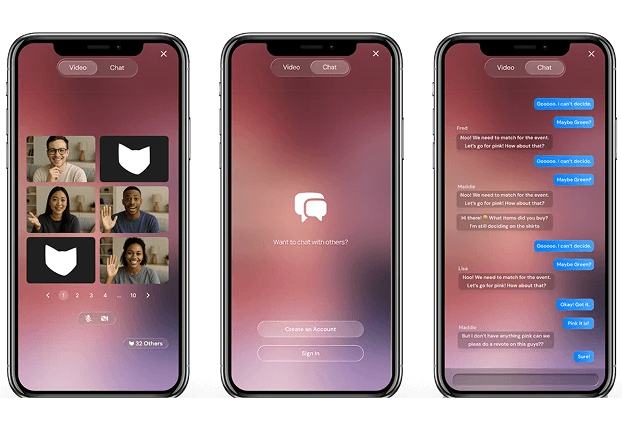
Video is placed alongside chat with a tabular switch between the two, making it easy for users to toggle between messaging and live interaction. This grouping keeps social features closely connected while maintaining a clear and simple interface.
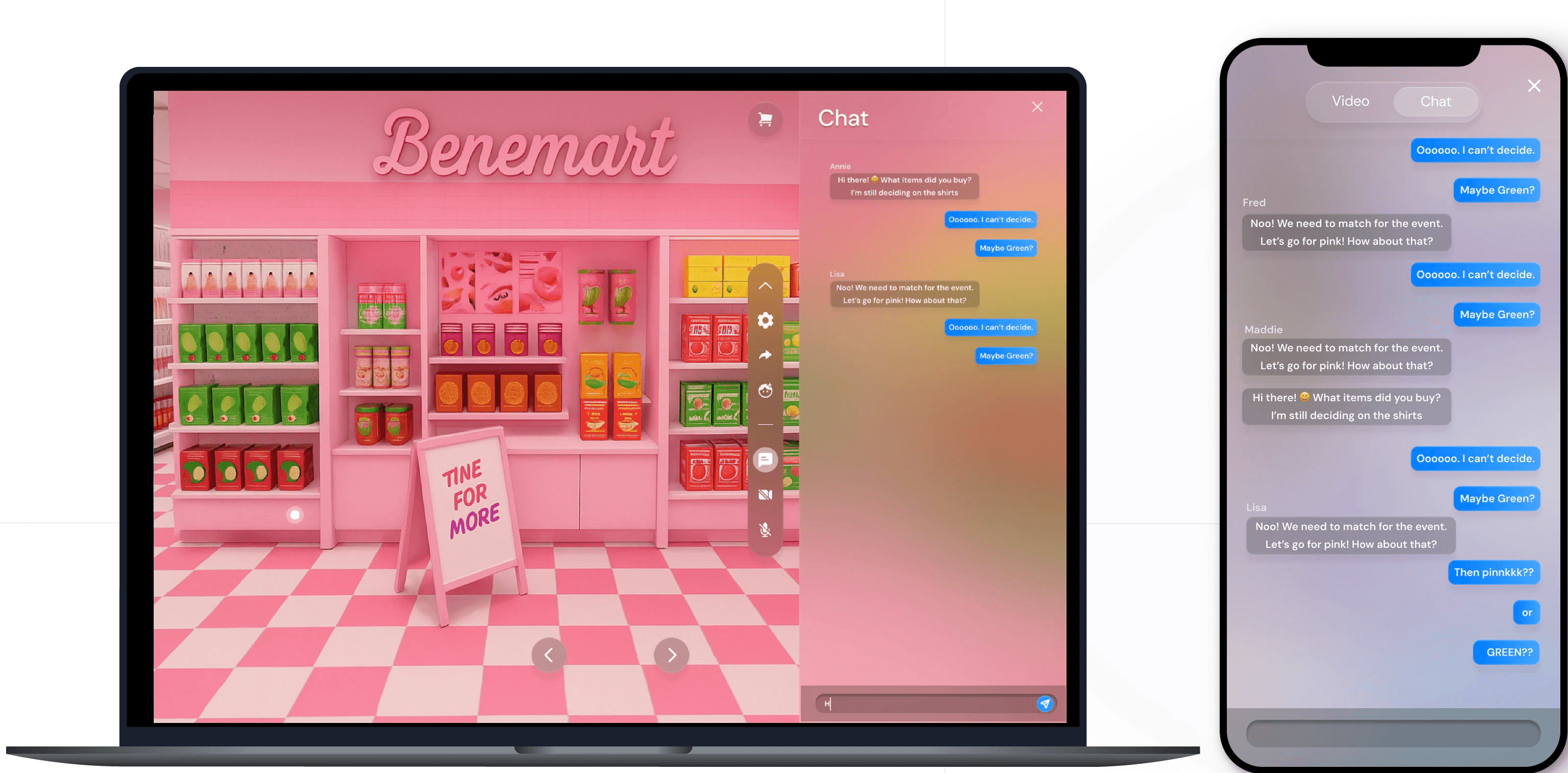
For desktop, where more screen space is available, chat is placed inside the sidebar. This allows users to continue exploring the environment while chatting, taking advantage of the additional screen real estate without interrupting the immersive experience.
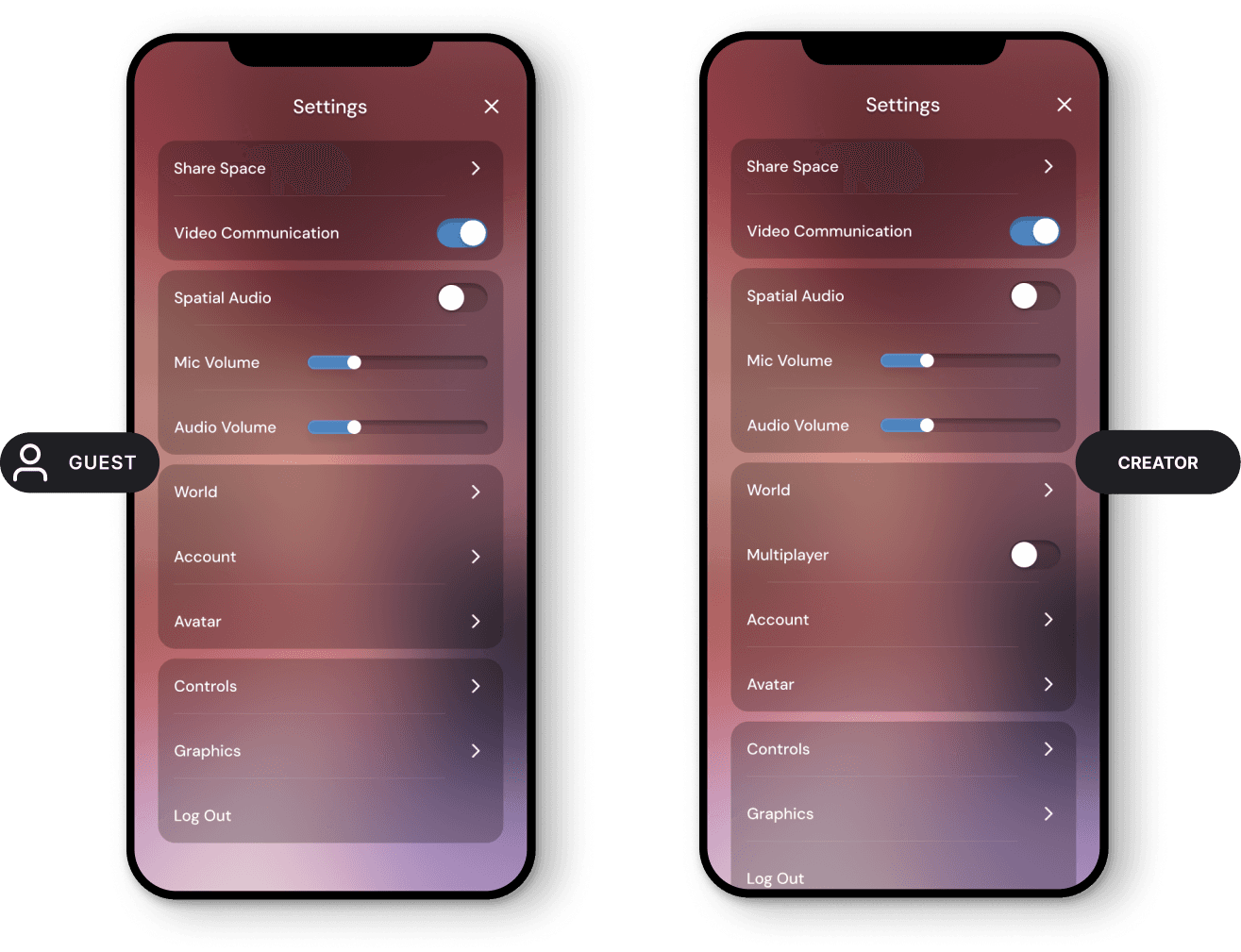
Settings Redesign
I removed the previous tab-based settings system and replaced it with a table-style layout, which immediately clarified hierarchy and improved scanability. Not to mention the 3 clicks it took to find the Audio & Graphics.
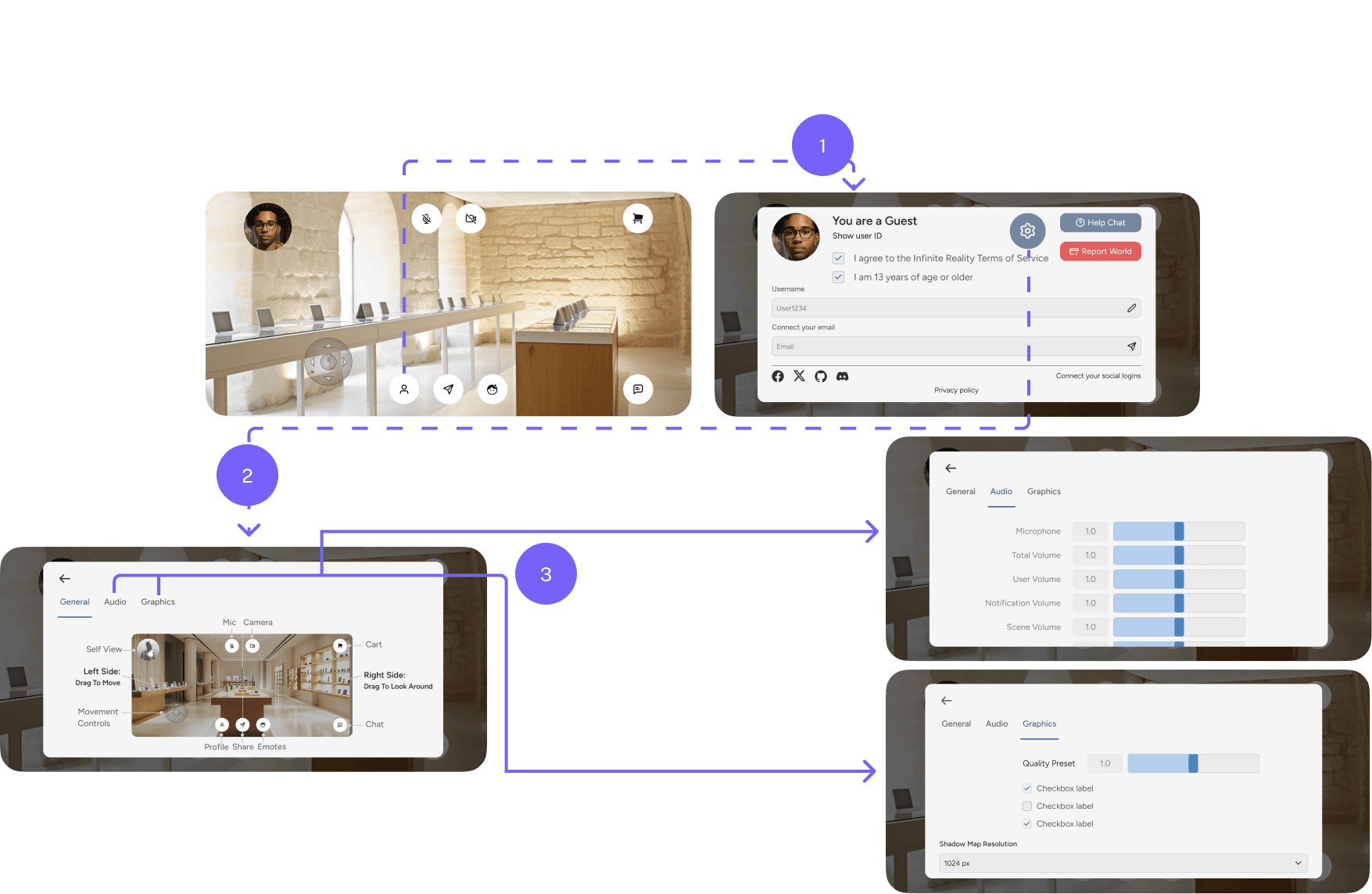
From 3 clicks to 1 easily discoverable 🔎
This structure allowed us to:
Group related settings together, supporting progressive disclosure
Separate sections clearly, reducing cognitive load
Create natural scanning zones for larger controls and toggles
It’s also a familiar pattern, similar to settings systems in products like Apple or Google mobile settings, which means users don’t have to learn a new interaction model.
The layout is also scalable, allowing new settings to be added over time as the platform grows.

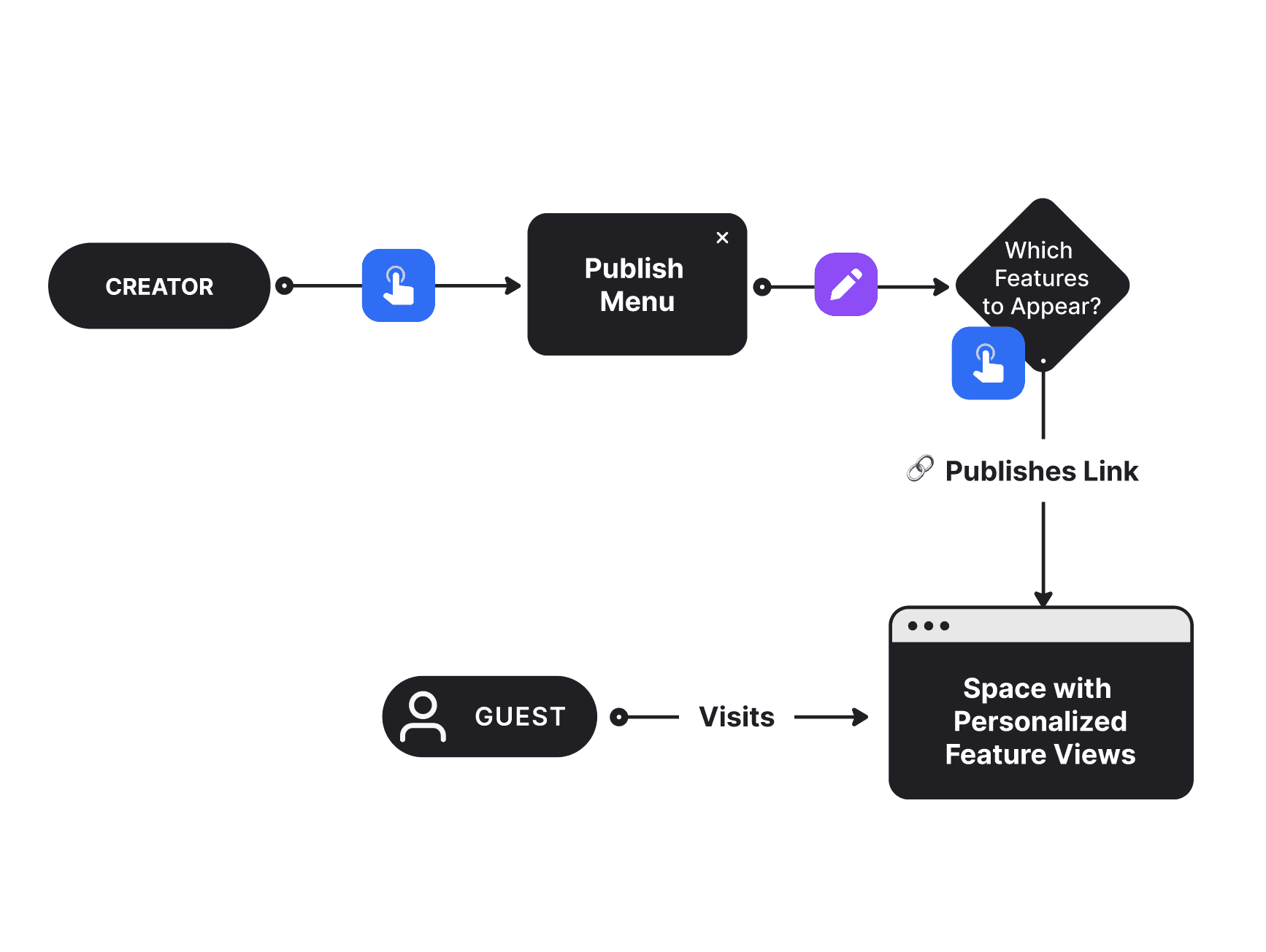
Creator vs Guest Permissions
The system also supports different settings for creators and guests.
Creators can access additional controls directly within the Viewer without needing to open the Dashboard—solving a key pain point identified during research. For example, creators can enable multiplayer or adjust world-specific settings on the fly. This comes from research showing that Creators don't visit the dashboard as often as they do the Viewer, or the actual space.
Guests, on the other hand, only see the settings relevant to their experience, keeping the interface simpler and more focused.
Desktop Redesign
For desktop, the interface was redesigned to take advantage of the larger screen real estate while keeping the immersive world as the primary focus.
Core controls were consolidated into a collapsible sidebar, allowing users to access features like chat, settings, and profile without covering the environment. This layout reduced scattered UI elements and created a clearer interaction hierarchy.
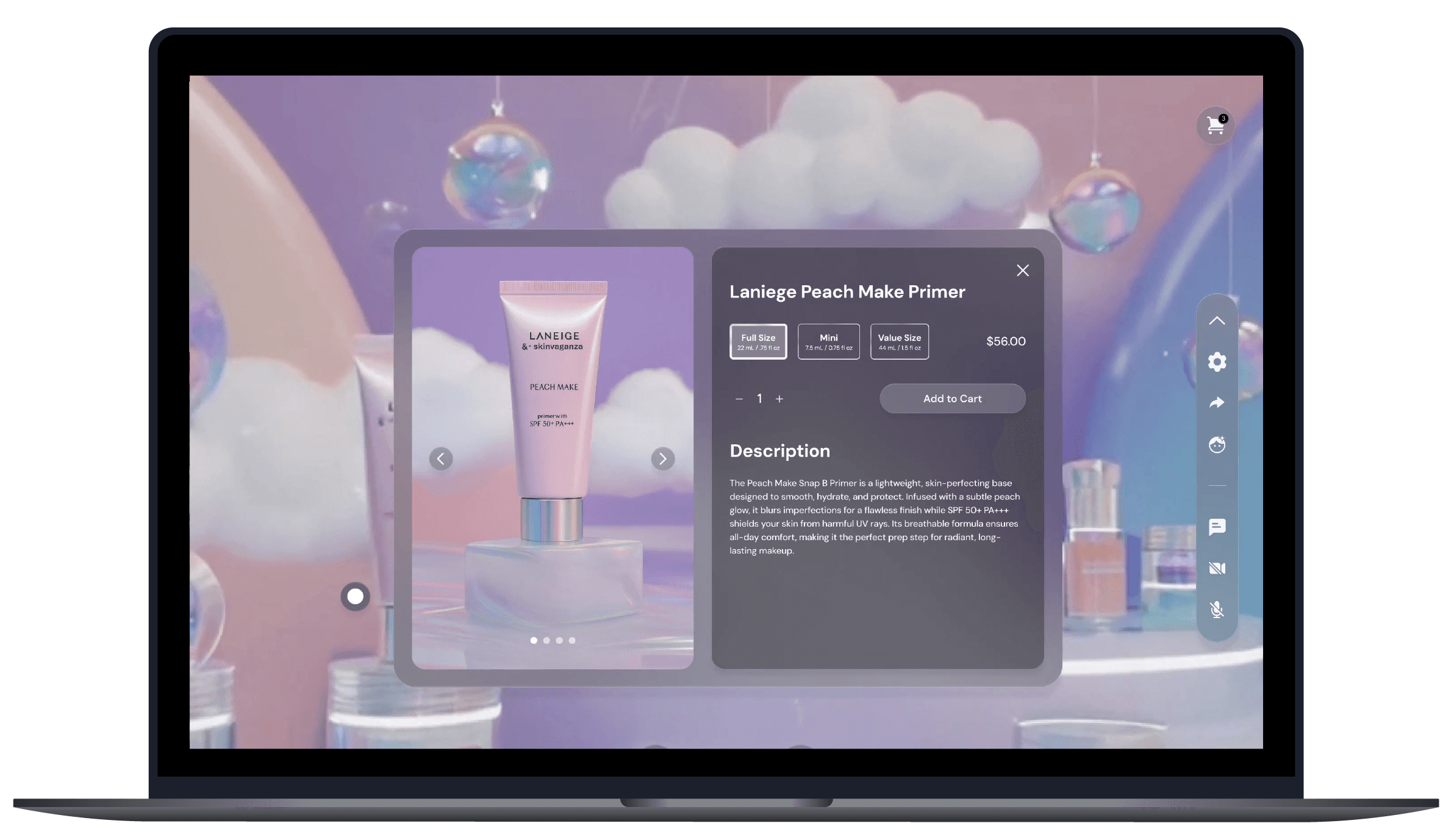
With more space available, chat was placed directly inside the sidebar, enabling users to continue exploring the world while messaging. This supports multitasking in a way that feels natural on desktop, unlike mobile where focused views work better.
The redesign balanced immersion and utility. Keeping the virtual environment visible while ensuring key controls remained easily accessible.

Reflections & Results 🪞
The MLP approach gave us a rare advantage. By prototyping quickly and testing with multiple audiences, we uncovered insights about both consumers and businesses that we likely wouldn’t have discovered through a traditional design cycle. It helped validate which direction the product should take and reduced the risk of committing to the wrong solution too early.
After the Viewer 1.1 launch, I conducted another round of testing with new users, and our team also presented a live demo to several brand partners. The feedback and engagement from both groups helped confirm that the updated interaction patterns and UI direction were moving the experience in the right direction:
↑ 100%
Enjoyed the Experience
↑ 90%
Task Completion vs previous research
↑ +4
Returning Brands for micro launches
However, in hindsight, one thing I would change is the encirclement strategy we initially pursued. By trying to support too many user types at once, the product’s impact became diluted.
Viewer ultimately reinforced an important lesson for me: strong products come from choosing a primary user segment, deeply understanding their needs, and building a focused, lovable experience, rather than trying to be everything for everyone.
↑ 204%
Increase in session time vs. e-commerce
↑ 182%
Higher conversion vs. e-commerce
↑ 7%
Average conversion rate from virtual store
This immersive approach significantly increased engagement.
Experiences like this are powered by the ease of use of the Viewer, which acts as the interactive layer where users explore branded worlds, discover products, and interact with content inside a virtual environment rather than through a standard product grid.